
Start Here

Start Here – Learn Cloud & Infrastructure the Right Way

If you’re new to Humble Cloud Tech, this page will guide you through the best place to begin.

This site is focused on understanding how modern infrastructure actually works, from Linux fundamentals to Microsoft Azure, Windows Server, and Infrastructure as Code, using practical, real-world labs.

Everything here is educational, hands-on, and written to explain why things work, not just what commands to run.

Who This Is For

Humble Cloud Tech is designed for:

How to Use This Site

To get the most value from this site:

All content on this site is informational and educational. No products or paid services are sold directly.

Recommended Learning Path

If you’re new to cloud or infrastructure, start from the beginning. Each section builds on the previous one.

Linux underpins modern cloud platforms, DevOps tools, and production systems. Before working with Azure or automation tools, it’s essential to understand how Linux actually works.

Start with the Linux foundations series, which covers:

Then continue through the beginner and core operations labs.

Linux Storage & Filesystems: Disks, Partitions, Mounts, and Disk Usage

How Linux Stores Data, Mounts Disks, and Survives Failures. Ask any experienced Linux administrator what causes the most...

Linux Processes & Networking: Monitoring, Signals, Ports, and Connectivity

How Linux Runs, Communicates, and Stays Alive. Every new Linux learner eventually reaches a turning point. At the beginning, Linux...

Mastering Linux Core Operations: Users, Permissions, sudo, Packages & Services (Beginner → Intermediate)

Linux remains one of the most essential skills for cloud engineers, DevOps practitioners, and system administrators. Every...

Linux Foundations (Beginner): How Linux Really Works – Not Just Commands

Most beginners learn Linux backwards. They start with commands – ls, cd, chmod, sudo – and hope that eventually the...

Once the fundamentals are clear, the next step is learning how Linux systems are secured and operated in real environments.

This section focuses on:

Editing files safely on remote Linux systems is a non-negotiable skill for cloud and DevOps engineers.

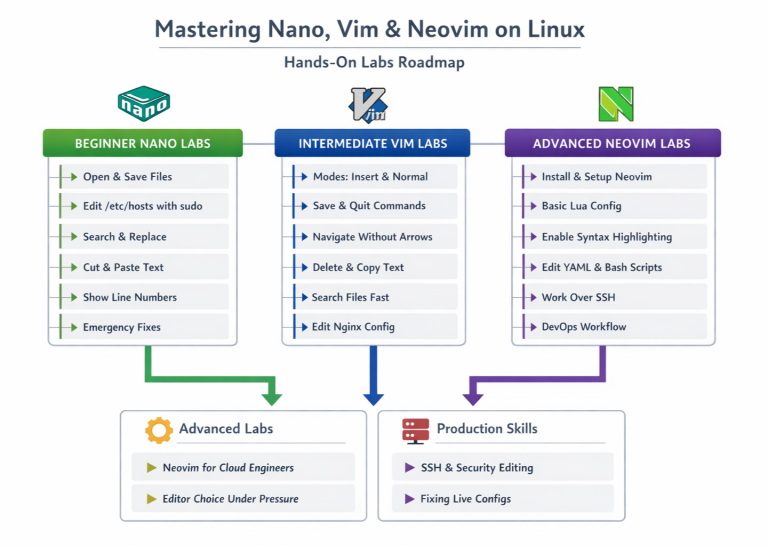
Mastering Nano, Vim & NeoVim on Linux: From Beginner Editing to Pro-Level Terminal Workflows

Nano vs Vim vs Neovim: Which Linux Text Editor Should Engineers Actually Use? Editing files directly on Linux systems is not an...

A practical guide with 30+ hands-on labs covering Nano, Vim, and Neovim from beginner editing to production workflows.

This guide teaches:

  • when each editor matters

  • how to use them safely on servers

  • how real engineers work over SSH

Linux is not learned in isolation; it powers modern infrastructure.

Linux in Cloud, DevOps & Production: How Linux Powers Modern Infrastructure (Hands‑On Labs)

How Linux Is Used in the Real World Over the past decade, Linux has moved from “a useful skill” to the foundation of modern...

See how Linux fits into cloud platforms, CI/CD pipelines, containers, and production systems.

With a strong Linux foundation, you can confidently move into Azure without treating it as a black box.

Learn Microsoft Azure from cloud fundamentals to real-world infrastructure, including networking, Infrastructure as Code, and production-ready design.

Recommended order:

How to Build a Production-Ready Auto-Scaling Azure Web App with Modular Terraform (VMSS, Load Balancer & NAT Gateway)

From Basic Terraform to Production IaC: Building an Auto-Scaling Azure Web App with Modular Terraform. Many engineers begin...
Terraform Azure Tutorial: How to Create Resource Groups, VNets, Subnets, NSGs, and VMs Step‑by‑Step IaC

Terraform on Azure: Building a Real-World Infrastructure from Scratch. Terraform is not just another automation tool. In modern...

Azure Policy, Tags, and Resource Locks Explained: A Complete Governance Guide for Cloud Engineers

Effective governance is essential as cloud environments grow. Without proper controls, organizations often face challenges in...

Microsoft Entra Conditional Access Explained: MFA, Location Controls, and the What If Tool (Full Lab Guide)

How Conditional Access Evaluates Sign‑Ins Behind the Scenes Microsoft Entra ID (formerly Azure Active Directory) is Microsoft’s...
How to Set Up Azure Monitor Alerts, Action Groups, and Processing Rules (Step‑by‑Step Guide)

Modern cloud environments generate constant signals, metrics, logs, and events. Without proactive monitoring, critical changes...
Build a Secure Azure Environment in Minutes with Bicep: VMs, Networking, Private Endpoints & Blob Replication

A hands-on Infrastructure-as-Code lab deploying a production-ready Azure environment from a single Bicep template. Provisioning...
Securing Azure Blob Storage with PowerShell: Network Isolation, SAS Access & Immutable Policies (Beginner to Pro)

A hands-on lab automating secure Azure Blob Storage using VNets, subnets, SAS tokens, and immutability. Modern cloud storage is no...
Deploying a Scalable Azure Environment with Bicep: VMs, NSGs, Subnets & Load Balancer (Step-by-Step Lab)

A hands-on IaC walkthrough using VS Code and Bicep to build a secure, highly available Azure environment. Scalable cloud...
Azure Networking with PowerShell: VNet Design, Peering, VM Provisioning & Network Watcher (Beginner to Pro)

A hands-on lab deploying VNets, peering them securely, provisioning Windows Server VMs, and validating connectivity with Network...
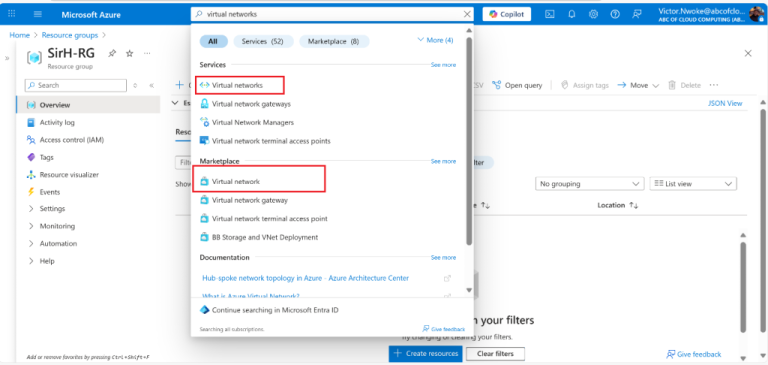
Setting Up Clean Azure VNets, Subnets & Tagging

A Practical Lab Guide from Beginner to Pro. Behind every secure, reliable, and scalable Azure environment is a well-designed...

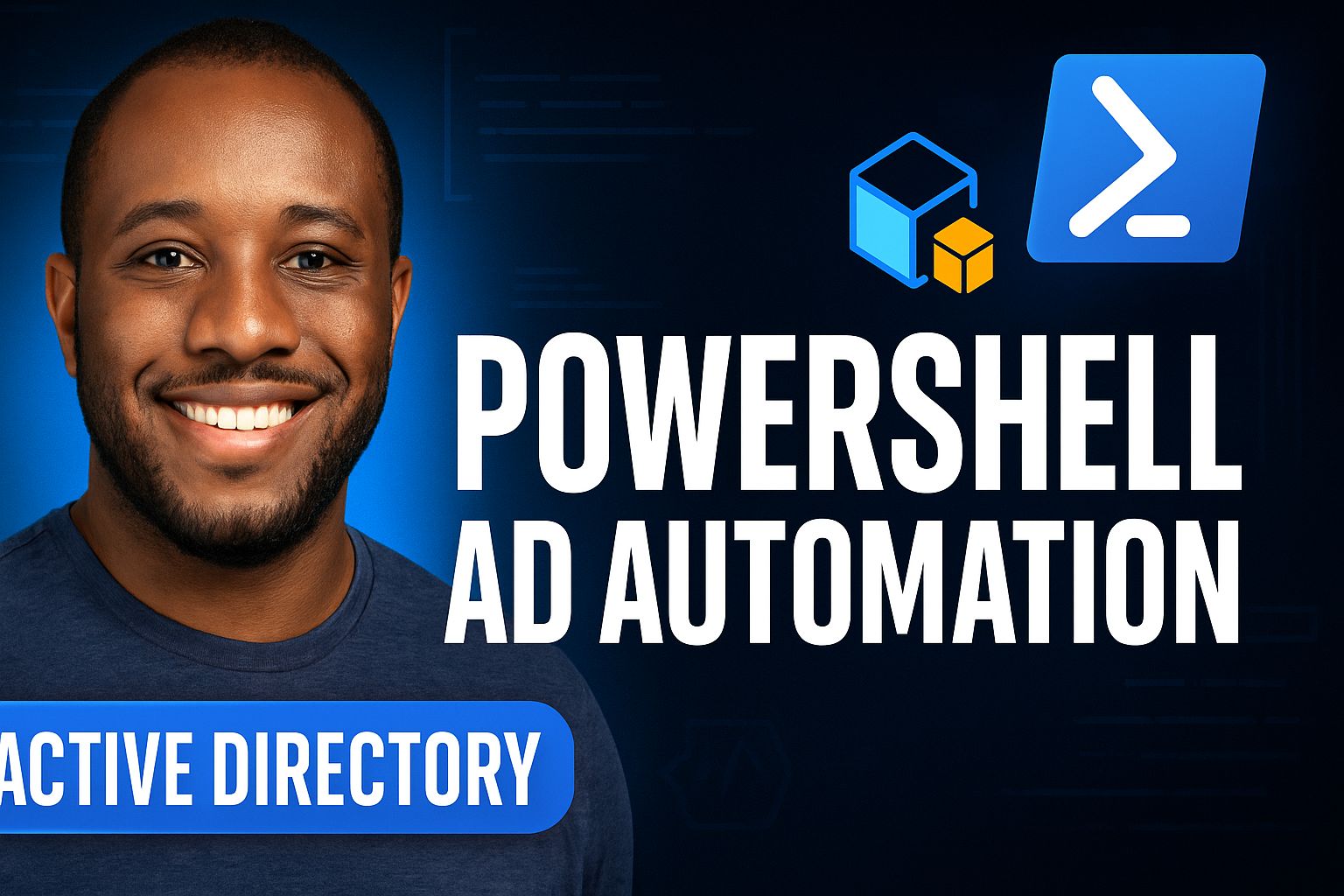
This section covers how Windows Server is deployed and managed in enterprise environments.

Key labs include:

Automating Active Directory User and Group Management with PowerShell

Step-by-step lab: creating users, OUs, security groups, and group memberships using PowerShell Managing users, organizational...
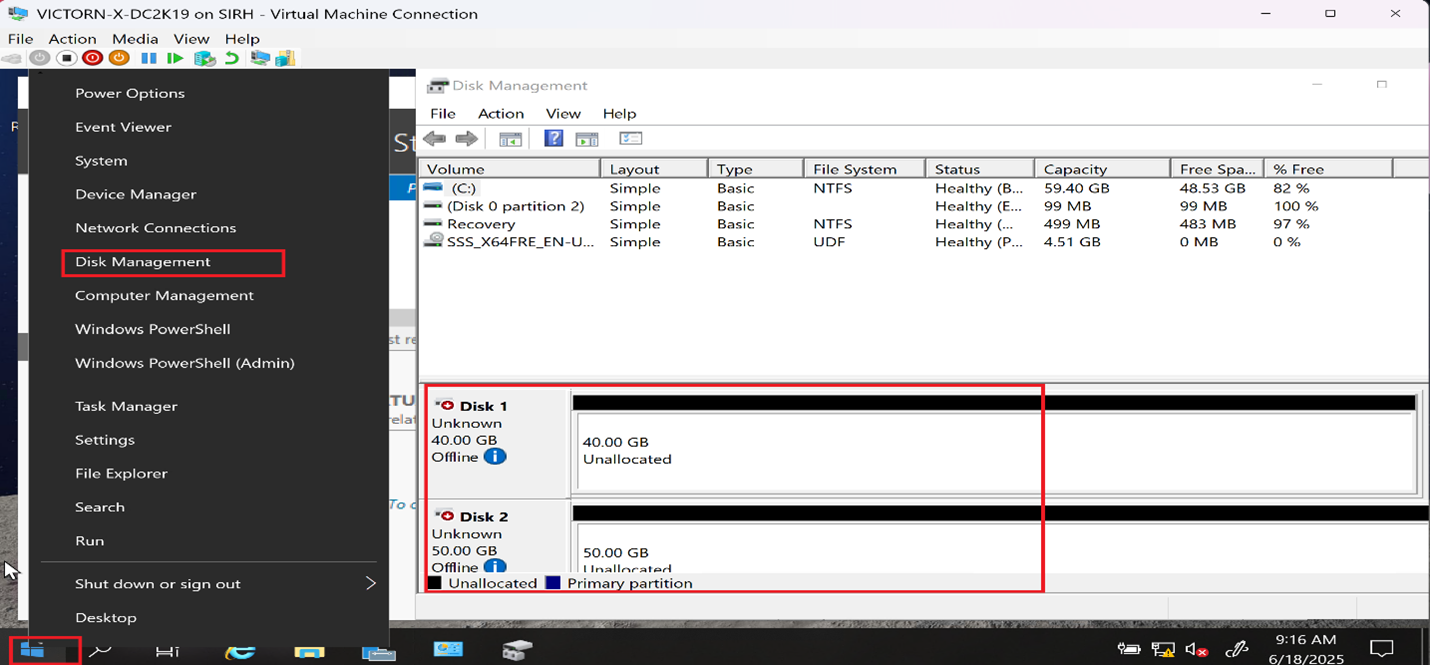
Hands-On Lab: Scalable Hyper-V Storage with iSCSI, VHDs & Storage Pools

Virtual Disks, Storage Pools, and iSCSI – The Hidden Challenges of Hyper-V Storage (And How I Solved Them) Managing storage...
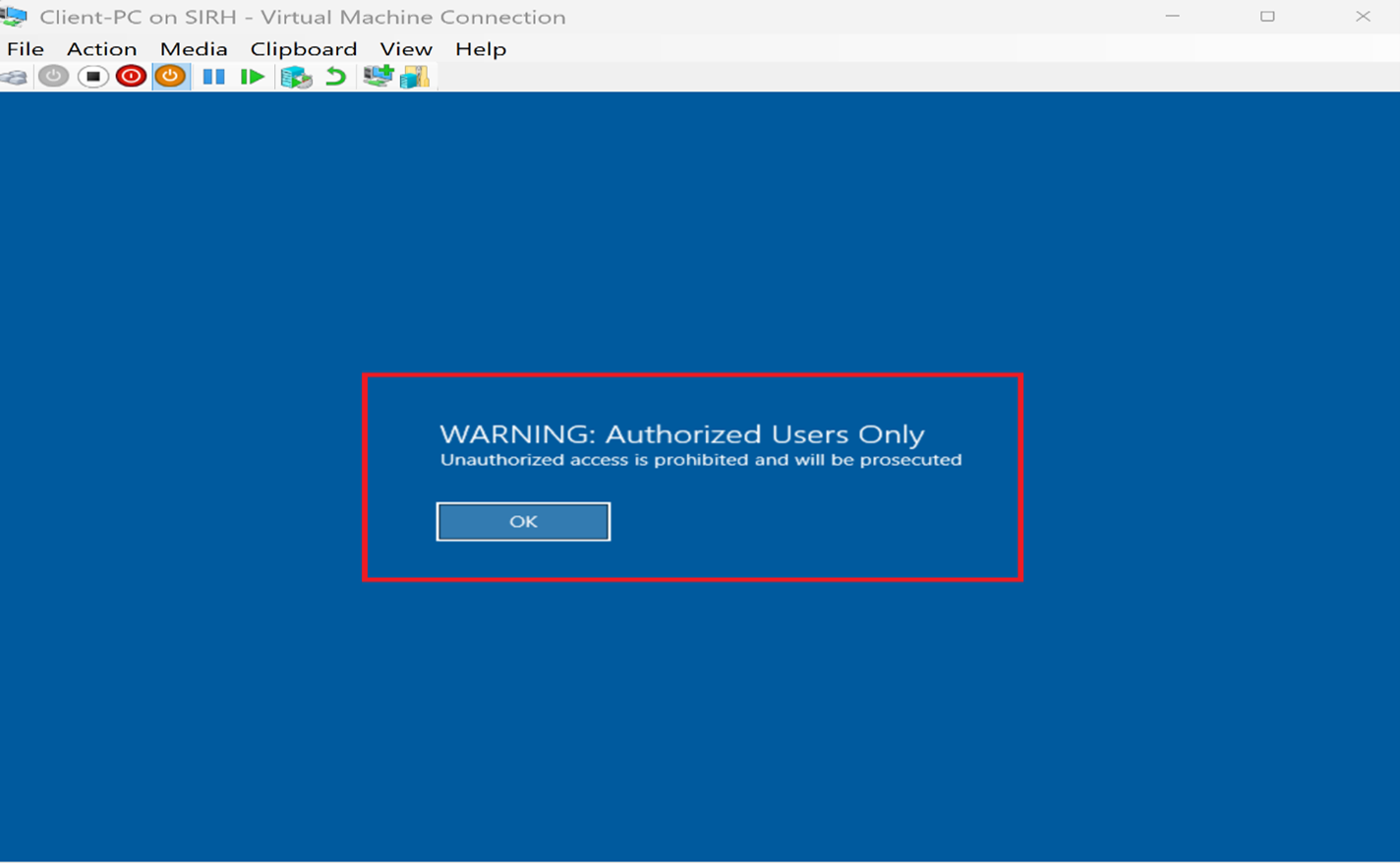
How to Configure Desktop Backgrounds, Power Settings, and Legal Notices Using Group Policy

In this lab, I implemented key Group Policy configurations to standardize system behavior, improve user experience, and strengthen...
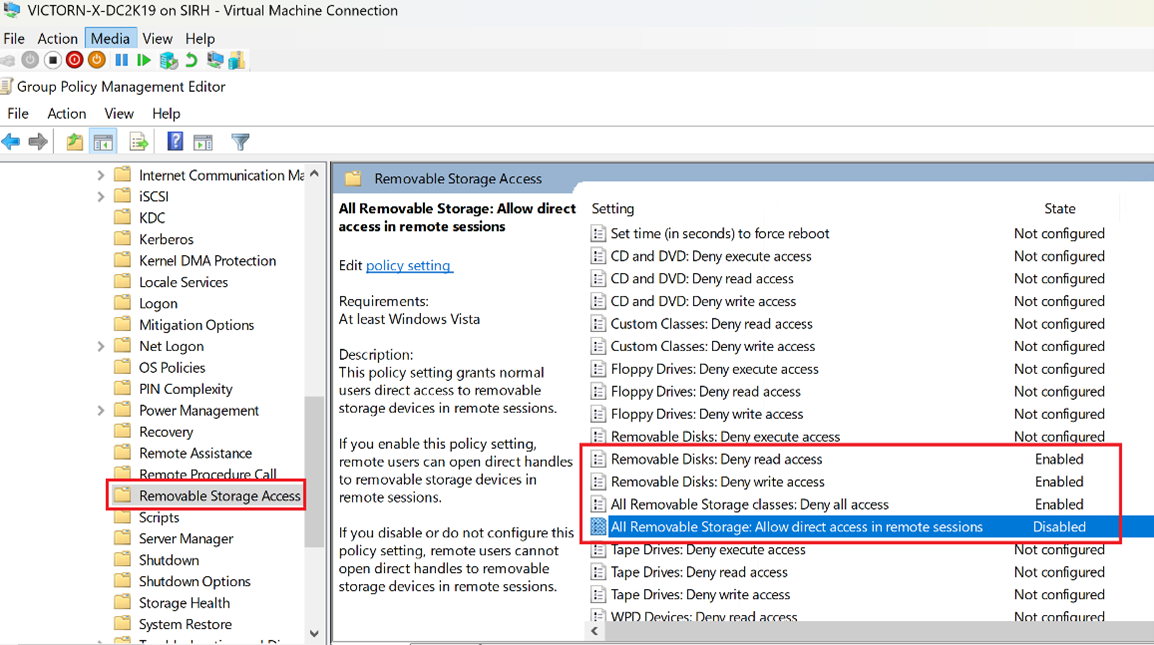
How to Restrict USB and Removable Storage Devices using Group Policy in Active Directory

This lab documents a real-world Group Policy implementation used to restrict USB drives, external hard drives, and all removable...
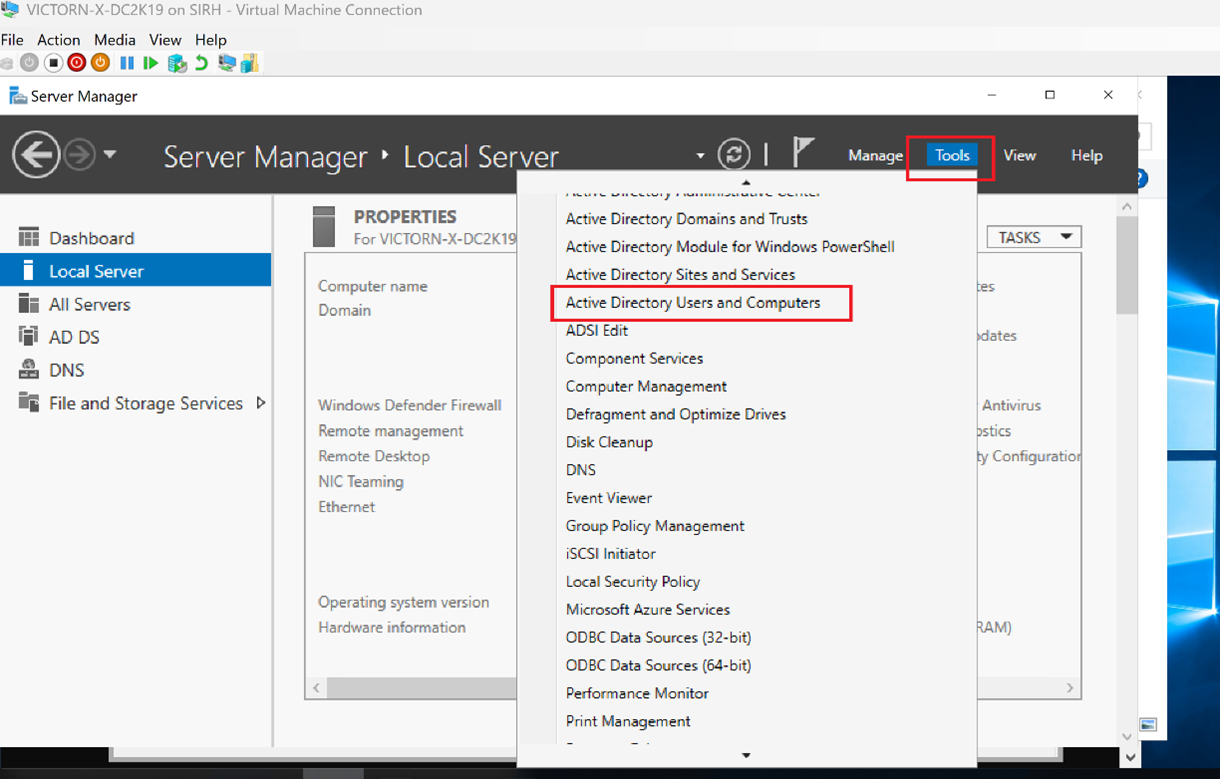
Managing Active Directory: Create OUs, Groups, and Users on Windows Server 2019 (Hyper-V Lab)

After deploying Active Directory Domain Services (AD DS) on a Windows Server 2019 virtual machine using Hyper-V, the next logical...
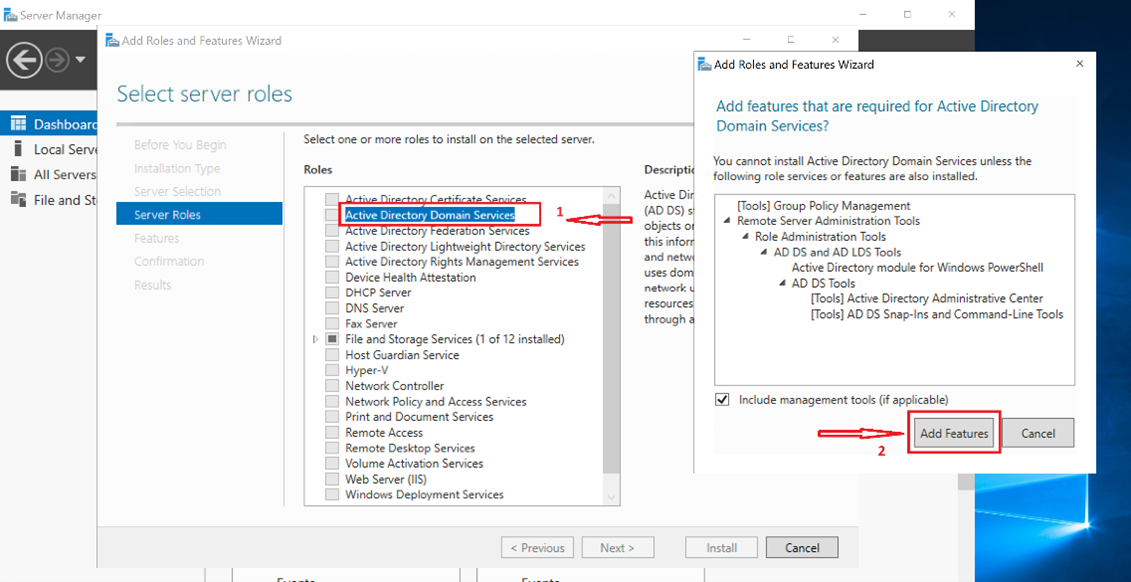
How to Install Active Directory Domain Services (AD DS) on Windows Server using Hyper-V (Step-by-Step Guide)

Active Directory Domain Services (AD DS) remains one of the most essential building blocks in enterprise IT. Whether you’re...

Understand how modern infrastructure is automated using Infrastructure as Code, DevOps workflows, and scripting tools such as Terraform, Bicep, PowerShell, and Bash.

Modern infrastructure is deployed and managed through automation.

This section focuses on clarity, not hype.

Relevant labs are integrated throughout the Azure and Linux sections above.

Real-World Projects & Labs

All labs on Humble Cloud Tech are designed to reflect real production scenarios, not artificial examples.


They include:

How to Use Humble Cloud Tech

Humble Cloud Tech is an educational website focused on practical cloud and infrastructure engineering.

Content is based on hands-on experience with Linux, Microsoft Azure, Windows Server, and Infrastructure as Code, with the goal of helping learners understand infrastructure concepts clearly and apply them confidently.

Ready to Begin?

Strong engineers aren’t defined by tools; they’re defined by understanding. That’s what Humble Cloud Tech is built to teach.

We use cookies to personalise content and ads, to provide social media features and to analyse our traffic. We also share information about your use of our site with our social media, advertising and analytics partners. View more
Cookies settings
Accept
Decline
Privacy & Cookie policy
Privacy & Cookies policy
Cookie name Active

Who we are

Suggested text: Our website address is: https://humbletech.cloud.

Comments

Suggested text: When visitors leave comments on the site we collect the data shown in the comments form, and also the visitor’s IP address and browser user agent string to help spam detection. An anonymised string created from your email address (also called a hash) may be provided to the Gravatar service to see if you are using it. The Gravatar service Privacy Policy is available here: https://automattic.com/privacy/. After approval of your comment, your profile picture is visible to the public in the context of your comment.

Media

Suggested text: If you upload images to the website, you should avoid uploading images with embedded location data (EXIF GPS) included. Visitors to the website can download and extract any location data from images on the website.

Cookies

Suggested text: If you leave a comment on our site you may opt in to saving your name, email address and website in cookies. These are for your convenience so that you do not have to fill in your details again when you leave another comment. These cookies will last for one year. If you visit our login page, we will set a temporary cookie to determine if your browser accepts cookies. This cookie contains no personal data and is discarded when you close your browser. When you log in, we will also set up several cookies to save your login information and your screen display choices. Login cookies last for two days, and screen options cookies last for a year. If you select "Remember Me", your login will persist for two weeks. If you log out of your account, the login cookies will be removed. If you edit or publish an article, an additional cookie will be saved in your browser. This cookie includes no personal data and simply indicates the post ID of the article you just edited. It expires after 1 day.

Embedded content from other websites

Suggested text: Articles on this site may include embedded content (e.g. videos, images, articles, etc.). Embedded content from other websites behaves in the exact same way as if the visitor has visited the other website. These websites may collect data about you, use cookies, embed additional third-party tracking, and monitor your interaction with that embedded content, including tracking your interaction with the embedded content if you have an account and are logged in to that website.

Who we share your data with

Suggested text: If you request a password reset, your IP address will be included in the reset email.

How long we retain your data

Suggested text: If you leave a comment, the comment and its metadata are retained indefinitely. This is so we can recognise and approve any follow-up comments automatically instead of holding them in a moderation queue. For users that register on our website (if any), we also store the personal information they provide in their user profile. All users can see, edit, or delete their personal information at any time (except they cannot change their username). Website administrators can also see and edit that information.

What rights you have over your data

Suggested text: If you have an account on this site, or have left comments, you can request to receive an exported file of the personal data we hold about you, including any data you have provided to us. You can also request that we erase any personal data we hold about you. This does not include any data we are obliged to keep for administrative, legal, or security purposes.

Where your data is sent

Suggested text: Visitor comments may be checked through an automated spam detection service.
Save settings
Scroll to Top