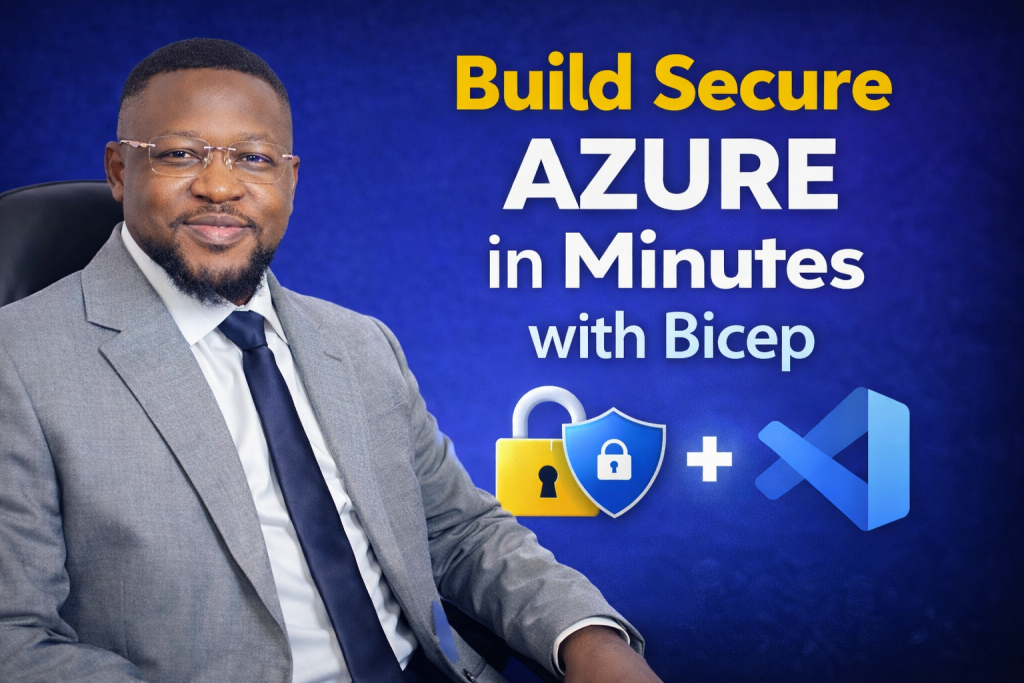
A hands-on Infrastructure-as-Code lab deploying a production-ready Azure environment from a single Bicep template.
Provisioning Azure infrastructure often begins with hours of manual work in the Azure Portal. Engineers click through resource creation screens, configure settings one by one, and apply security controls inconsistently across environments. While this approach may work for small experiments, it quickly becomes slow, error-prone, and difficult to secure at scale.
In real production environments, manual provisioning does not scale. It introduces configuration drift, increases security risk, and makes environments harder to reproduce or audit.
This hands-on lab demonstrates how a single Infrastructure-as-Code (IaC) workflow can replace repetitive portal clicks with predictable, secure, and repeatable deployments. Using Bicep inside Visual Studio Code, the entire Azure environment, including networking, compute, and secure storage, is deployed in minutes.
The walkthrough prioritizes speed without sacrificing security, aligning with modern Azure best practices and Zero Trust design principles.
🎥 Video Walkthrough
Why This Lab Matters in Real Azure Environments
In enterprise Azure environments, engineers are expected to:
-
Deploy infrastructure consistently across dev, test, and production
-
Enforce security controls by default
-
Reduce human error during provisioning
-
Support audits, compliance, and change tracking
Infrastructure-as-Code solves these challenges by making infrastructure declarative, versioned, and repeatable.
If you are new to structured Azure deployments, you may want to first review Setting Up Clean Azure VNets, Subnets & Tagging, which explains foundational network and governance patterns used throughout this lab.
Lab Objectives
By the end of this lab, you will be able to:
-
Deploy a full Azure environment from a single Bicep template
-
Provision virtual machines and networking automatically
-
Secure Azure Blob Storage using encryption and private access
-
Configure Private Endpoints to enforce Zero Trust connectivity
-
Enable blob versioning and object replication for data protection
-
Apply Infrastructure-as-Code practices for speed, consistency, and compliance
Lab Environment Overview
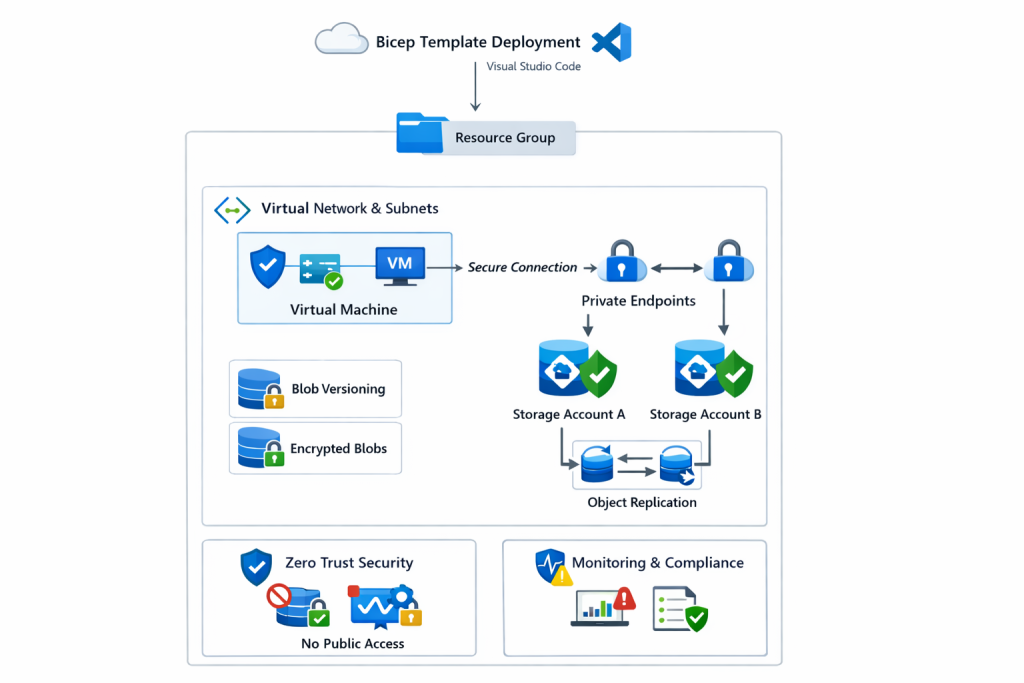
The environment deployed in this lab includes:
-
One Azure Resource Group
-
One Virtual Network (VNet) with subnets
-
One Virtual Machine
-
Network Security Groups (NSGs)
-
Two Azure Storage Accounts
-
Azure Blob Storage with encryption enabled
-
Private Endpoints for storage access
-
Object replication between storage accounts
-
Blob versioning enabled for recovery scenarios
Each component is deployed declaratively through Bicep, ensuring consistent behavior every time the template is executed.
From Bicep Template to Azure Deployment
Instead of creating resources individually in the Azure Portal, this deployment starts with a single Bicep file.
That file defines:
-
Resource relationships and dependencies
-
Security-first defaults
-
Network boundaries
-
Configuration standards
-
Reusable deployment logic
When executed, Azure provisions the entire environment in a predictable and controlled order. Dependencies are resolved automatically, reducing race conditions and deployment failures.
If you want to explore how this approach fits into a broader automation workflow, see Automating Azure Infrastructure with Bicep: A Hands-On IaC Lab Using VS Code.
Virtual Machine and Networking Setup
A virtual machine is deployed alongside its required networking components.
This includes:
-
A Virtual Network with defined address space
-
Subnet allocation
-
Network Security Group rules
-
Network Interface (NIC) association
Defining networking in code ensures consistent IP planning, segmentation, and security controls across environments.
For deeper coverage of Azure networking patterns, including validation and troubleshooting, refer to Azure Networking with PowerShell: VNet Design, Peering, VM Provisioning & Network Watcher.
Secure Azure Blob Storage Configuration
Two Azure Storage Accounts are created with encryption enabled by default.
Security is reinforced by:
-
Disabling public blob access
-
Using private containers
-
Enforcing secure access paths
-
Preventing accidental exposure
This configuration aligns with modern cloud security expectations and reduces the risk of data leakage.
If you want a PowerShell-focused deep dive into storage hardening, see Securing Azure Blob Storage with PowerShell: Network Isolation, SAS Access & Immutable Policies.
Zero Trust Access with Private Endpoints
Rather than exposing storage services over public endpoints, Private Endpoints are configured.
As a result:
-
Storage traffic stays on the Microsoft backbone network
-
Access is limited to trusted virtual networks
-
Public exposure is eliminated
-
Zero Trust principles are enforced by design
Private Endpoints significantly reduce the attack surface and are now considered a baseline security requirement in production Azure environments.
Blob Versioning and Object Replication
To support data protection and resilience, additional storage features are enabled automatically:
-
Blob versioning, allowing recovery from accidental deletion or overwrite
-
Object replication between storage accounts, supporting redundancy and availability
These features are deployed declaratively through Bicep, ensuring that every environment inherits the same data protection posture.
Governance and Monitoring Considerations
While this lab focuses on infrastructure deployment, production environments also require governance and monitoring.
To extend this environment further, consider integrating:
-
Azure Policy, tags, and resource locks to enforce standards
→ See Azure Policy, Tags, and Resource Locks Explained: A Complete Governance Guide for Cloud Engineers -
Azure Monitor alerts and action groups for operational visibility
→ See How to Set Up Azure Monitor Alerts, Action Groups, and Processing Rules
These additions strengthen compliance, observability, and operational readiness.
Why Infrastructure as Code Matters
Infrastructure-as-Code enables teams to:
-
Deploy environments faster
-
Reduce configuration drift
-
Improve security posture
-
Support audits and compliance
-
Scale safely across teams and regions
Bicep makes these benefits accessible while remaining tightly integrated with Azure-native tooling.
If you’re building larger platforms, this lab pairs naturally with Deploying a Scalable Azure Environment with Bicep: VMs, NSGs, Subnets & Load Balancer and Building Golden Images with Azure Compute Gallery for standardized VM deployments.
Key Takeaway
Speed and security do not have to compete.
By combining Bicep, Private Endpoints, and secure storage configurations, this lab demonstrates how production-ready Azure environments can be deployed in minutes, with consistency, predictability, and security built in from the start.
Discover more from Humble Cloud Tech
Subscribe to get the latest posts sent to your email.