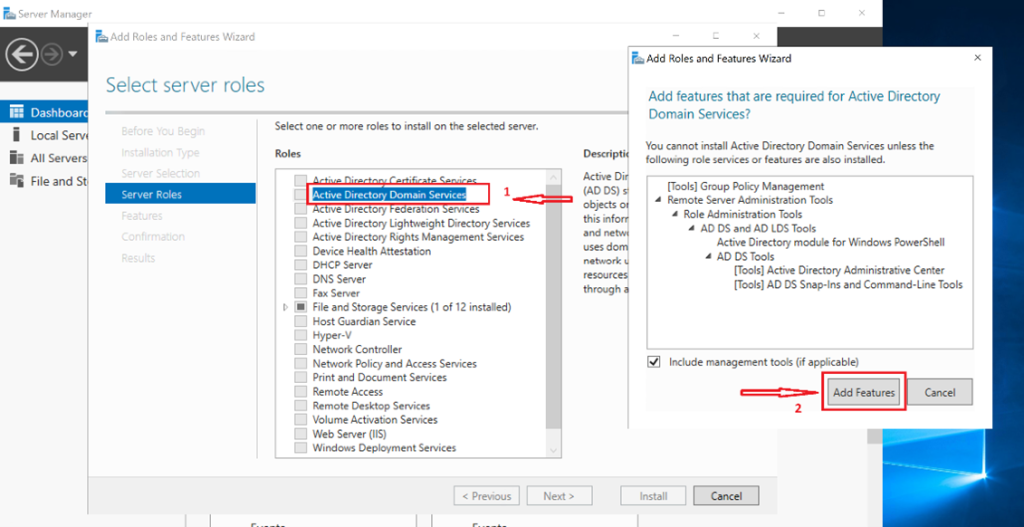
As part of strengthening an Active Directory Domain Services (AD DS) environment, this lab demonstrates how to add a secondary (additional) Domain Controller to an existing domain hosted on Windows Server using Hyper-V.
The objective is to introduce redundancy, replication, and improved availability, which reflects standard enterprise Active Directory deployments.
Lab Prerequisites
Before starting this lab, ensure the following are already in place:
-
A primary Domain Controller with a static IP address
-
Active Directory Domain Services installed and functional
-
DNS running on the primary DC
-
Hyper-V virtual networking correctly configured
Previous labs referenced:
Lab Objective
To deploy and configure a secondary Domain Controller that:
-
Joins an existing domain
-
Replicates Active Directory and DNS data
-
Provides fault tolerance for authentication services
Step-by-Step Lab Tasks
Step 1: Prepare the Secondary Domain Controller
-
Deploy a new Windows Server virtual machine on Hyper-V
-
Assign networking using the same virtual switch as the primary DC
-
Join the VM to the existing domain
💡 Ensure proper DNS settings point to the primary Domain Controller.
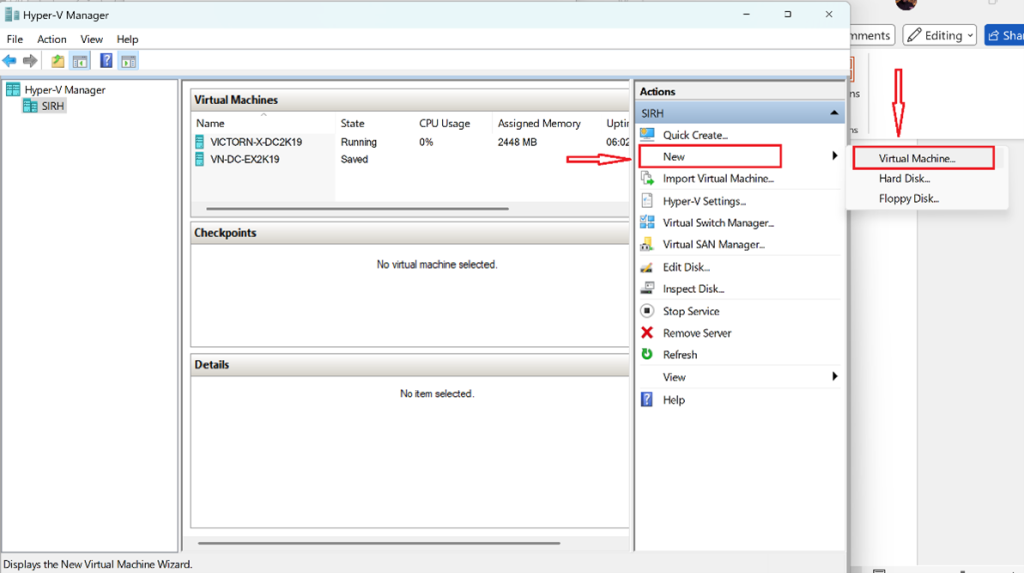
Right-click on your host → New → Virtual Machine
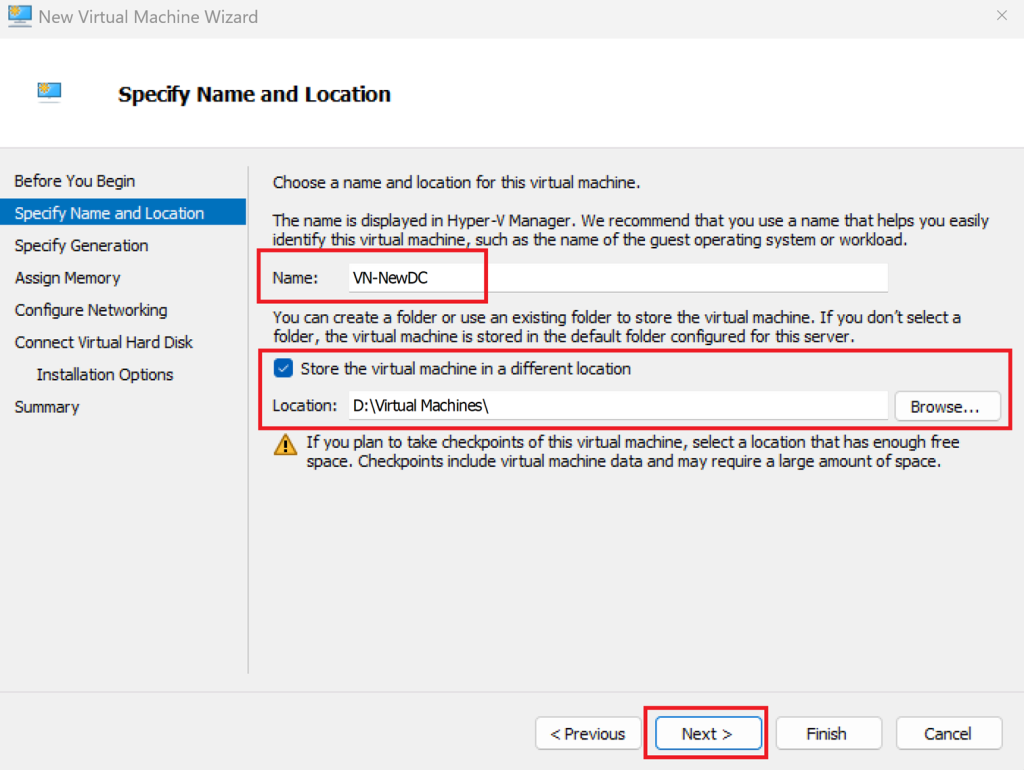
Name your VM (e.g., “VN-NewDC”)
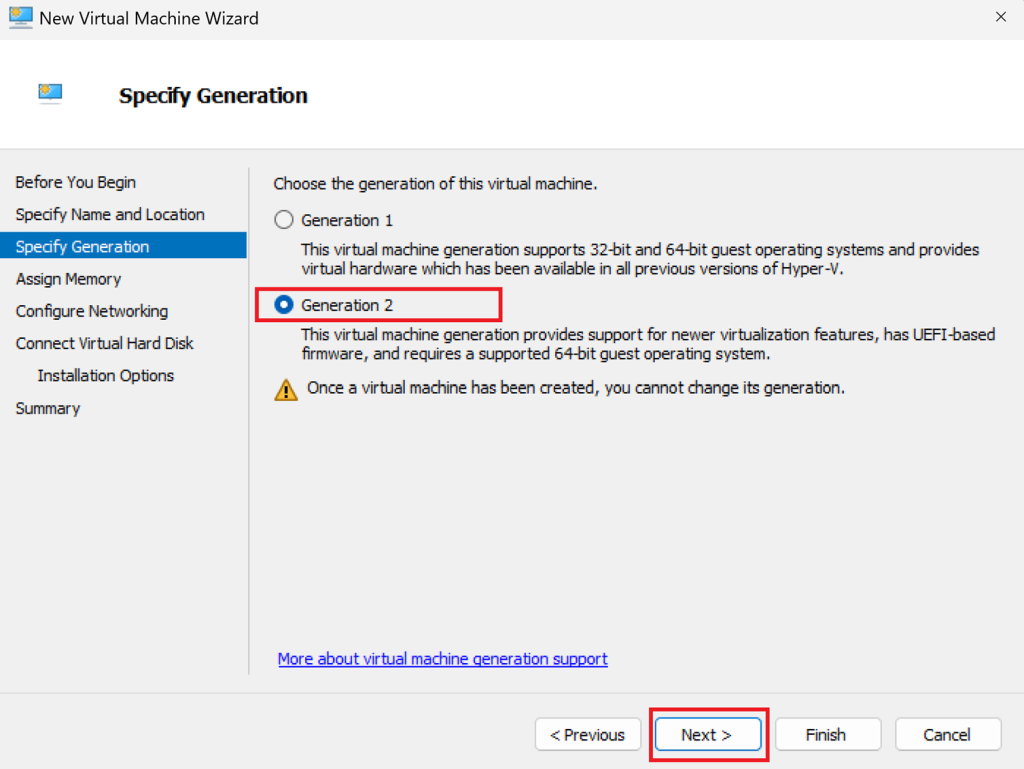
Choose Generation 2
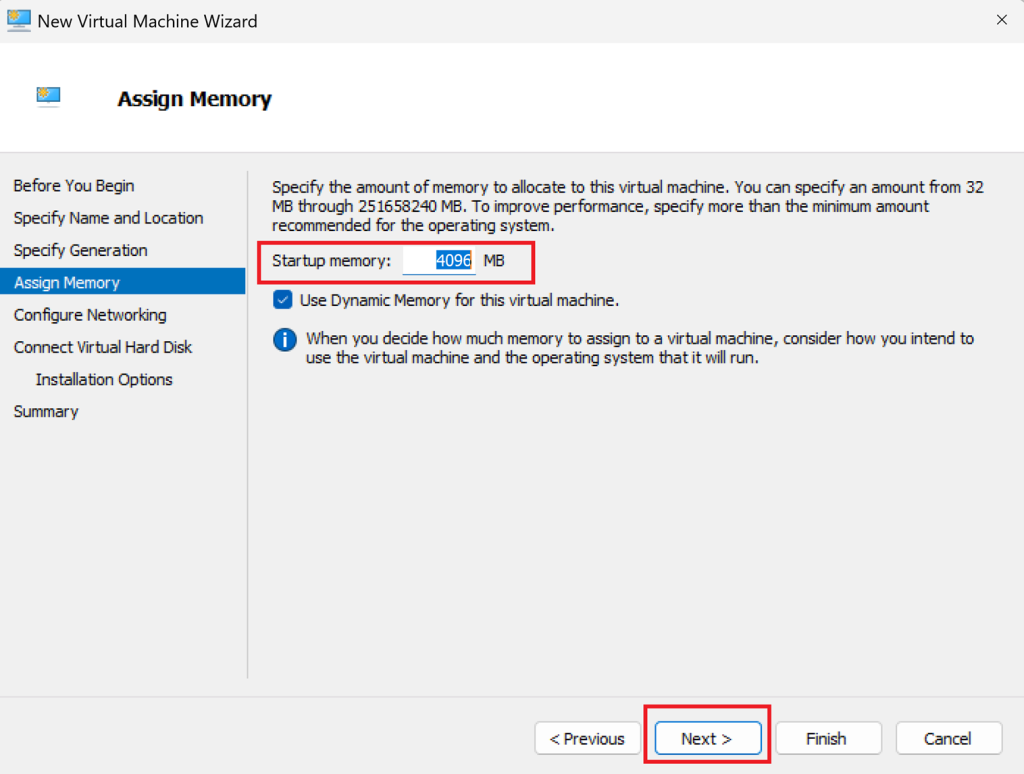
Assign Memory (start with 4 GB)
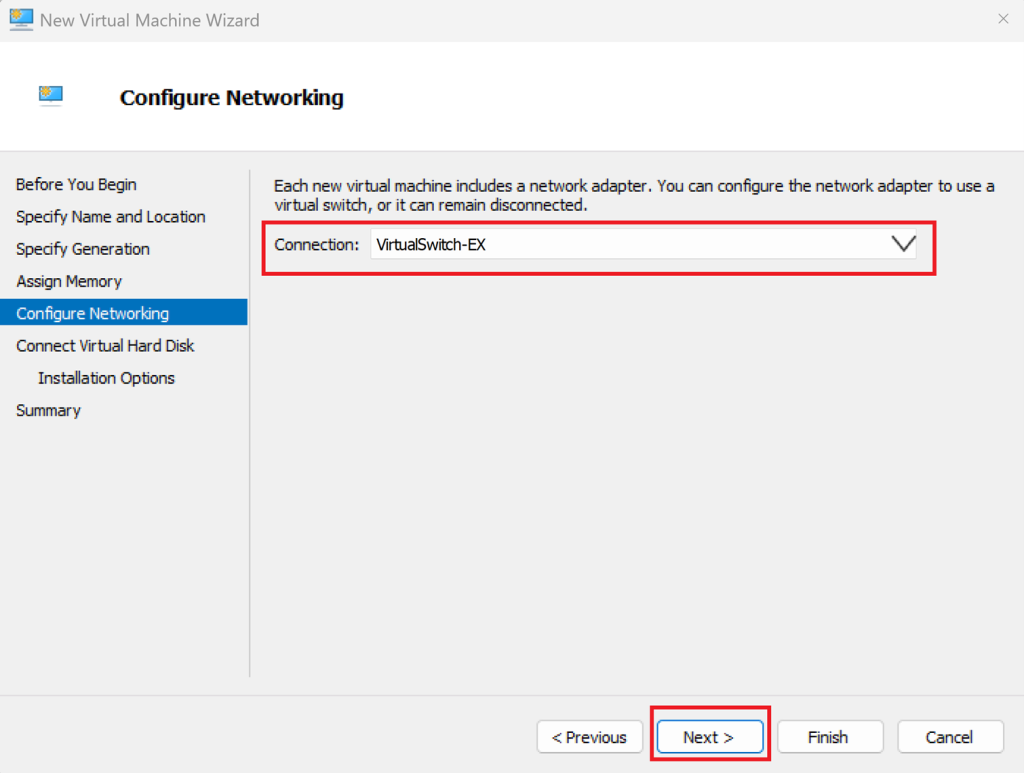
Select the virtual switch you created and make sure it’s the same as the primary DC
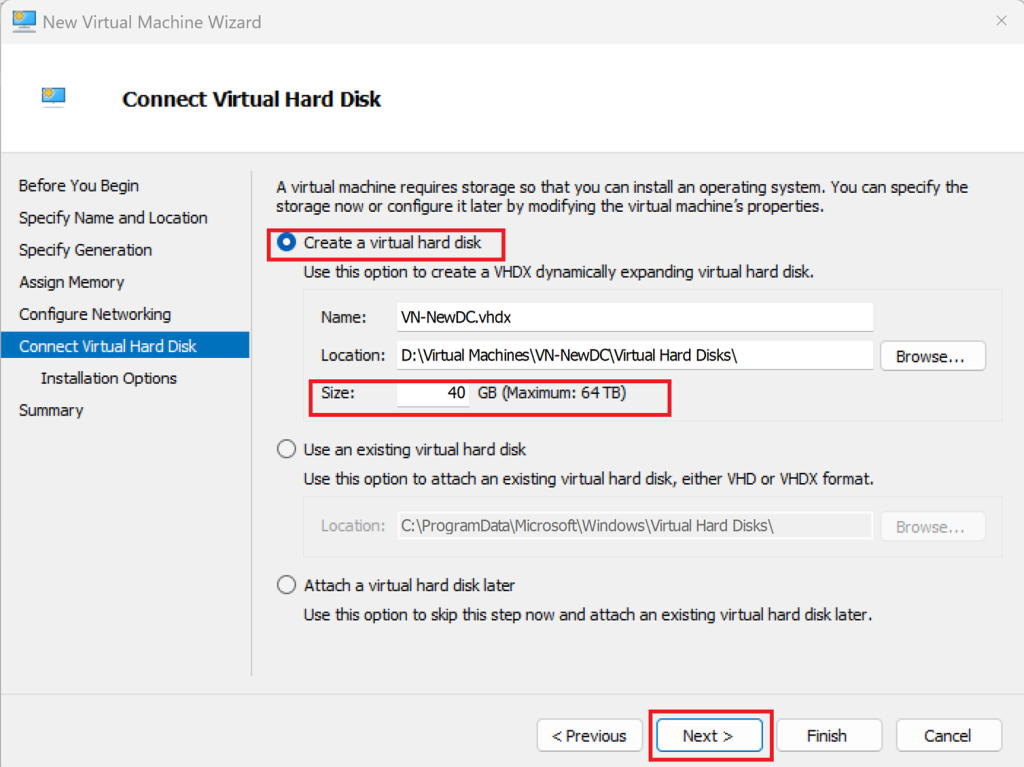
Create a new virtual hard disk (e.g., 40GB or above )
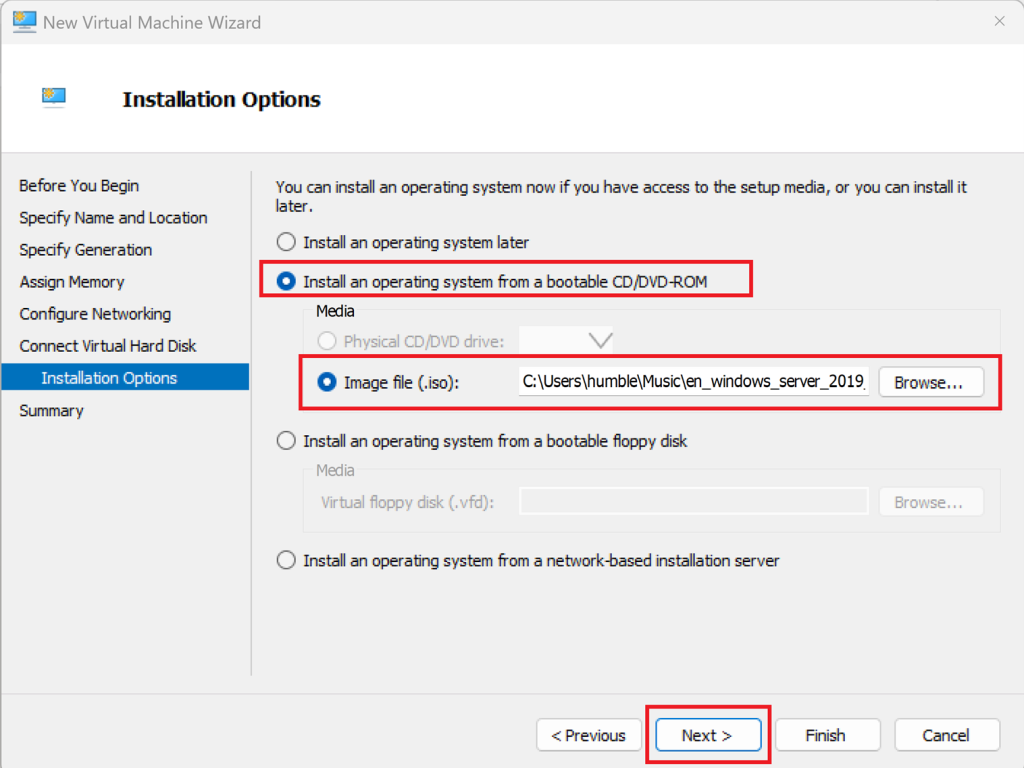
Install an operating system (OS), choose a Windows Server ISO
Check the summary, and select Finish
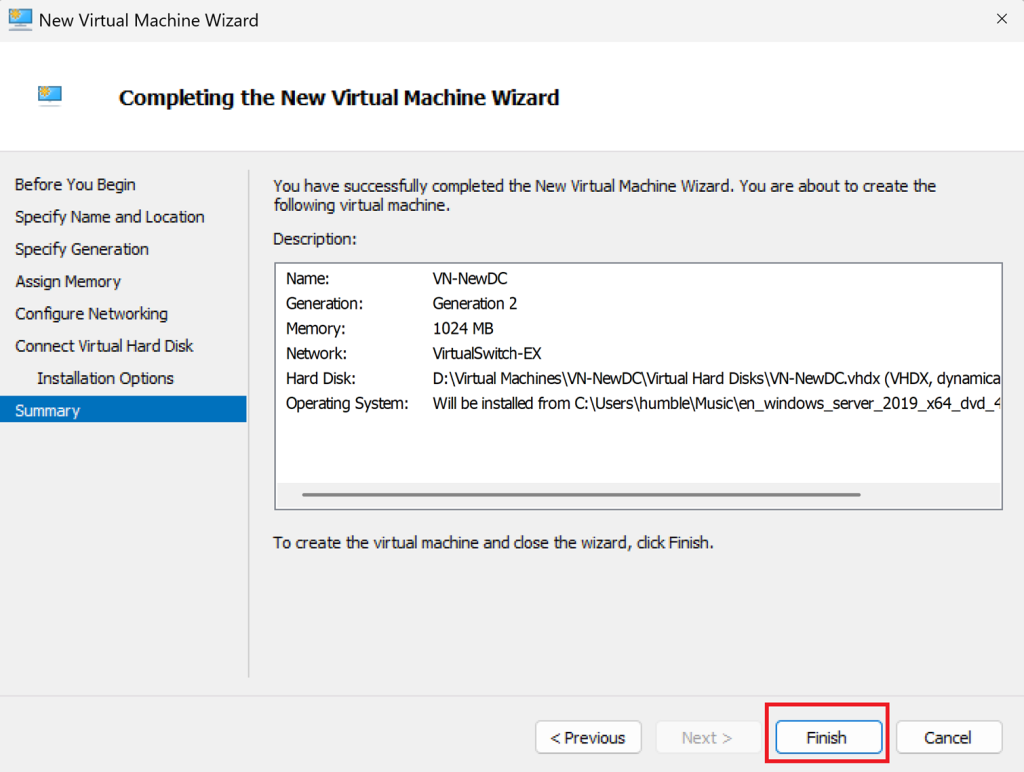
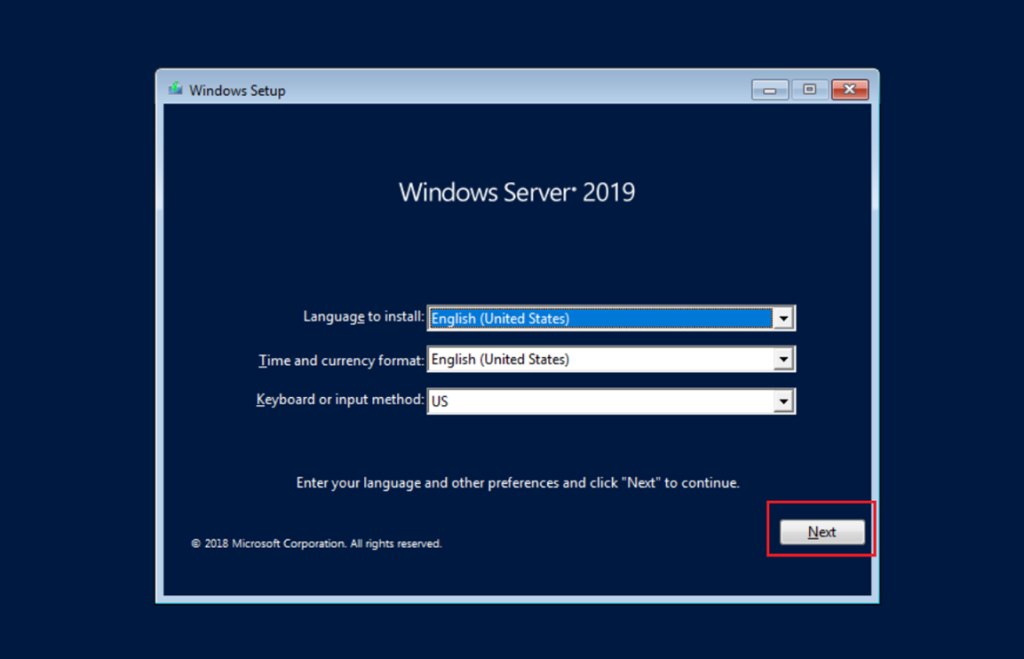
Start the VM → Open the console → Follow the Windows setup wizard
Choose edition, set password, etc.
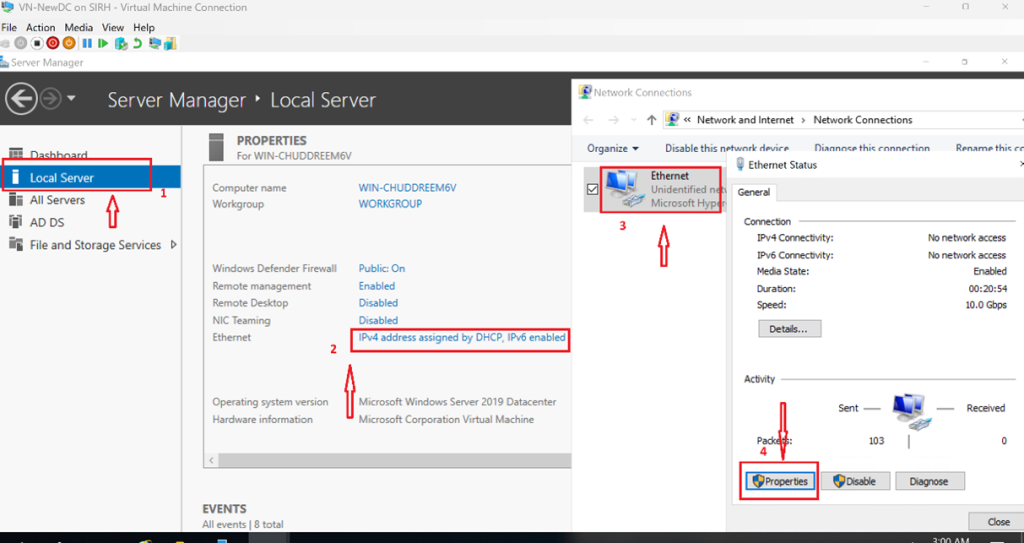
Step 2: Set a static IP
Open the Local Server → Ethernet → Properties
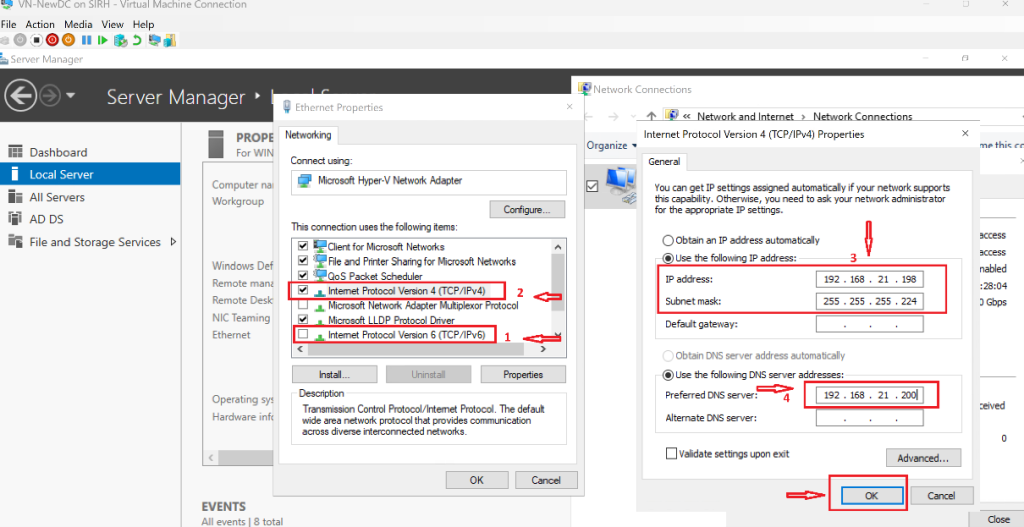
Disable the IPv6 → Double-click on IPv4 →Set a static IP address, Input your IP address and Subnet mask → Preferred DNS server
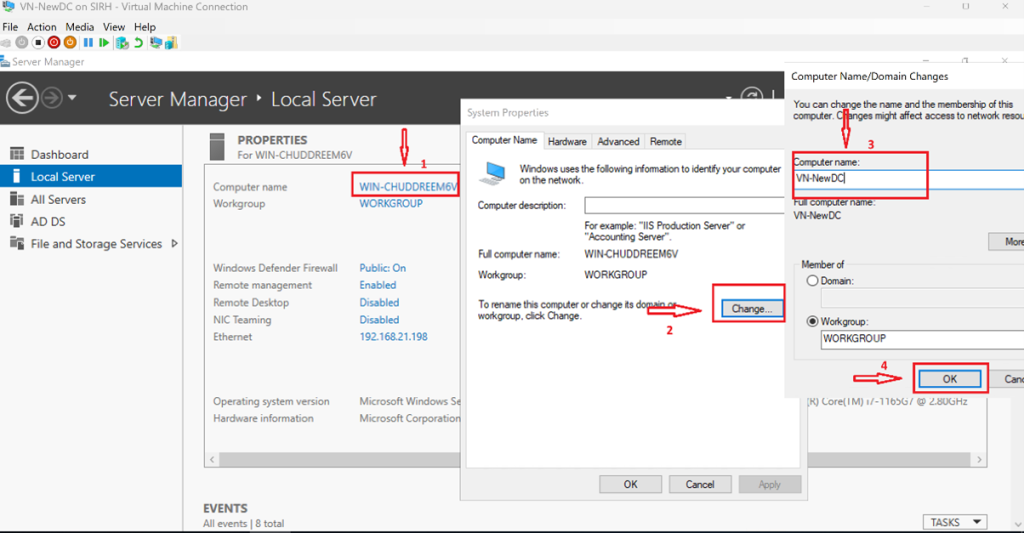
Rename the server, and reboot when prompted.
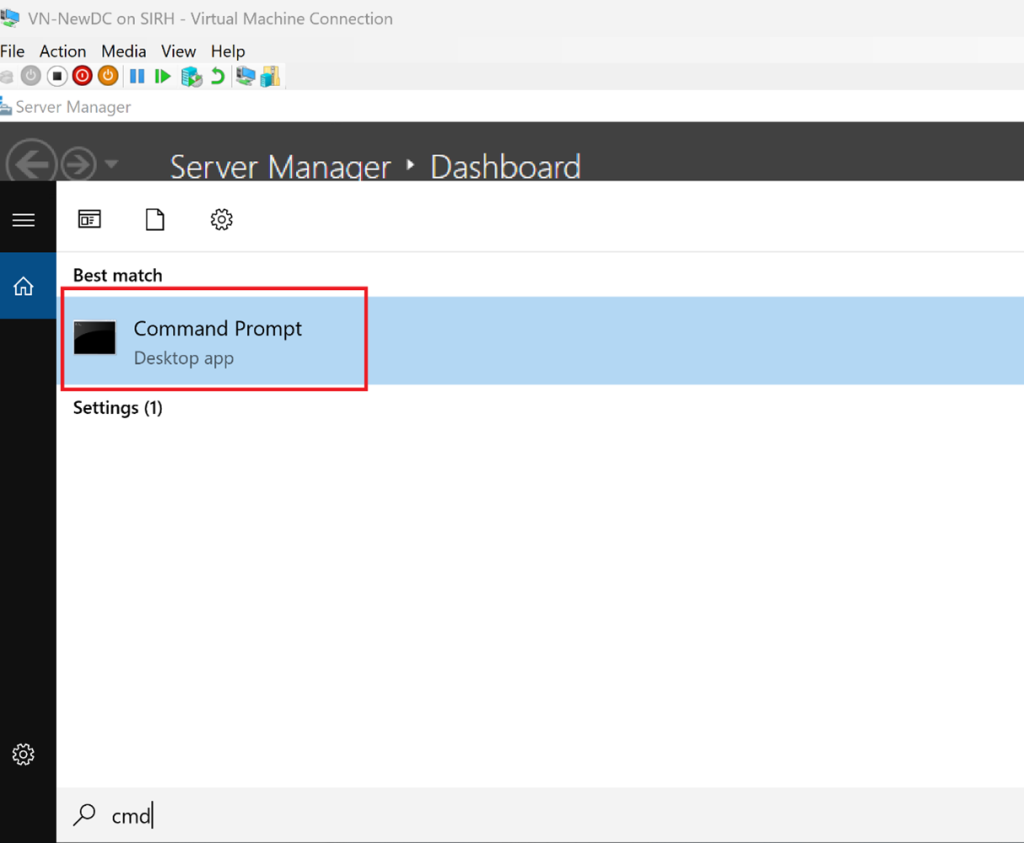
Open Command Prompt
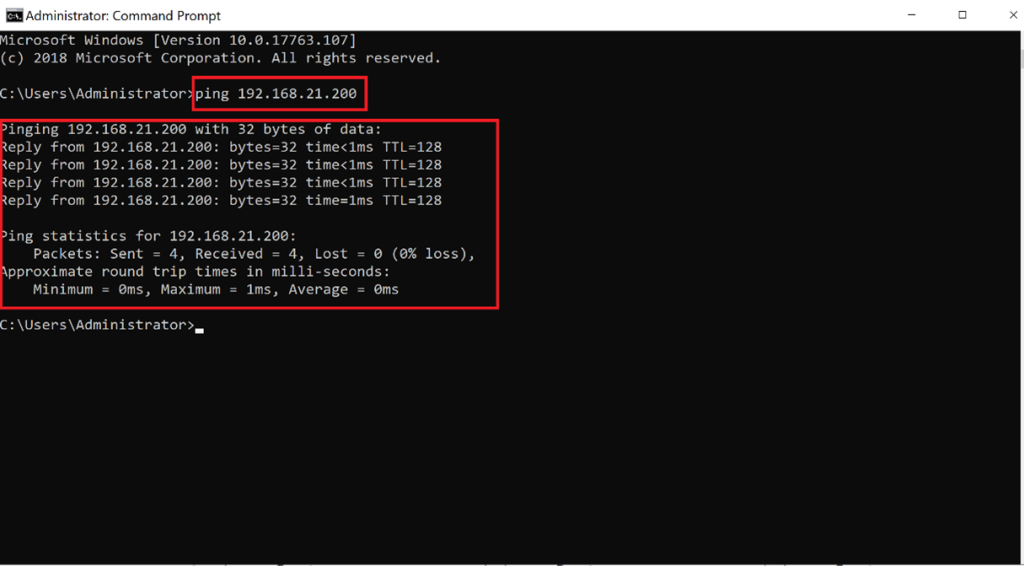
Ping the Primary DC to check the traffic, if they can communicate
Step 3: Install Active Directory Domain Services
-
Add the AD DS role on the secondary server
-
Do not create a new forest or domain at this stage
Open Server Manager → Add Roles and Features
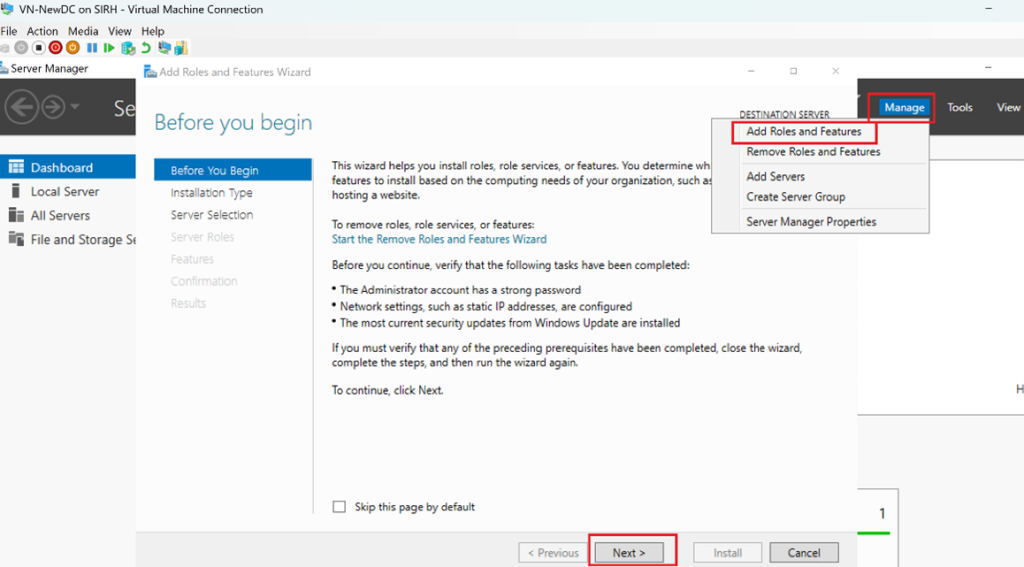
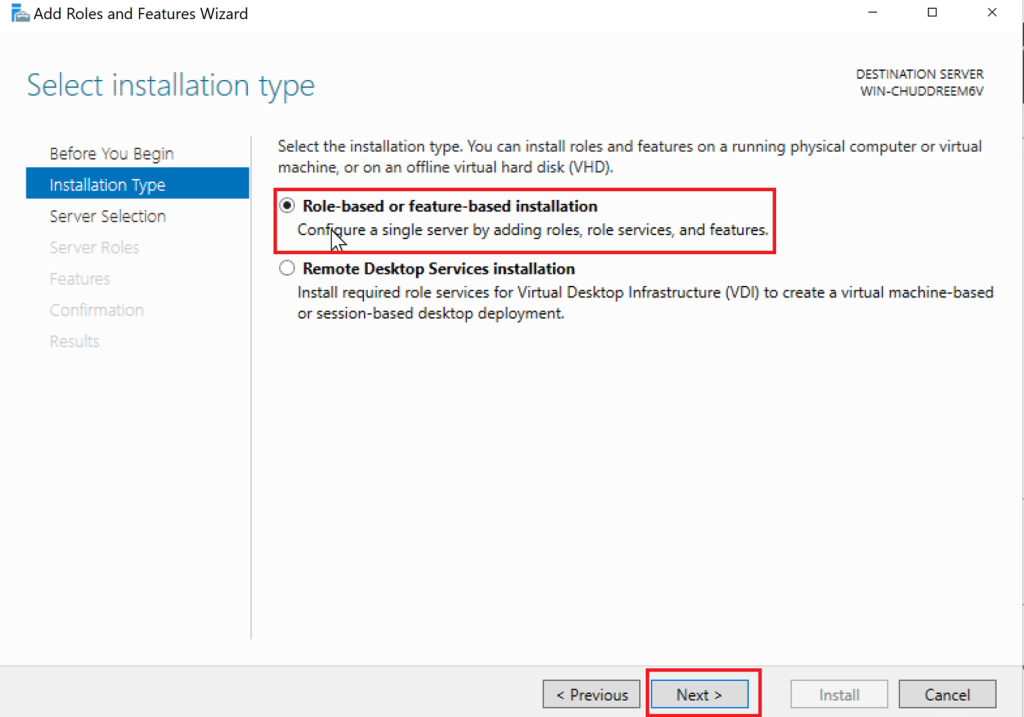
Select Active Directory Domain Services → Next → Next → Install
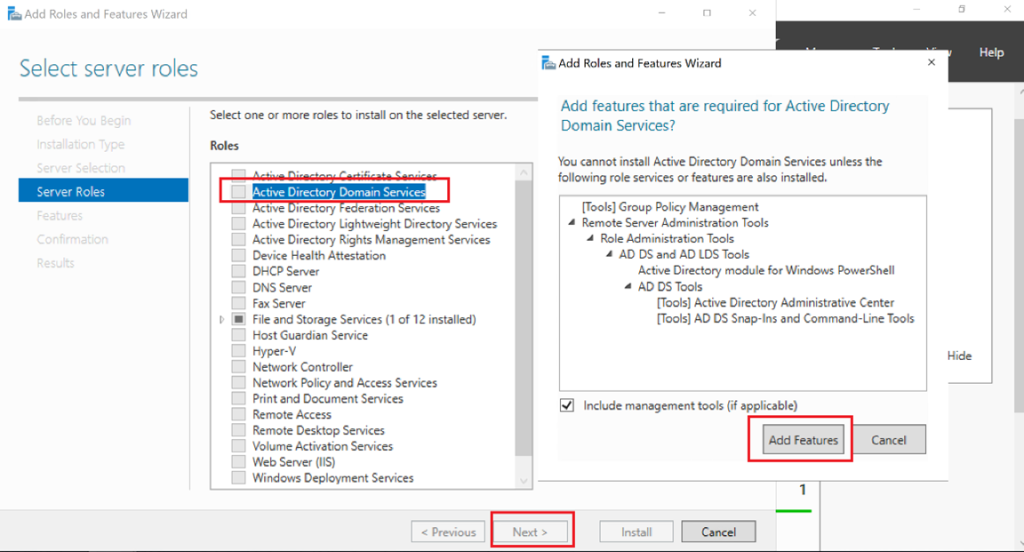
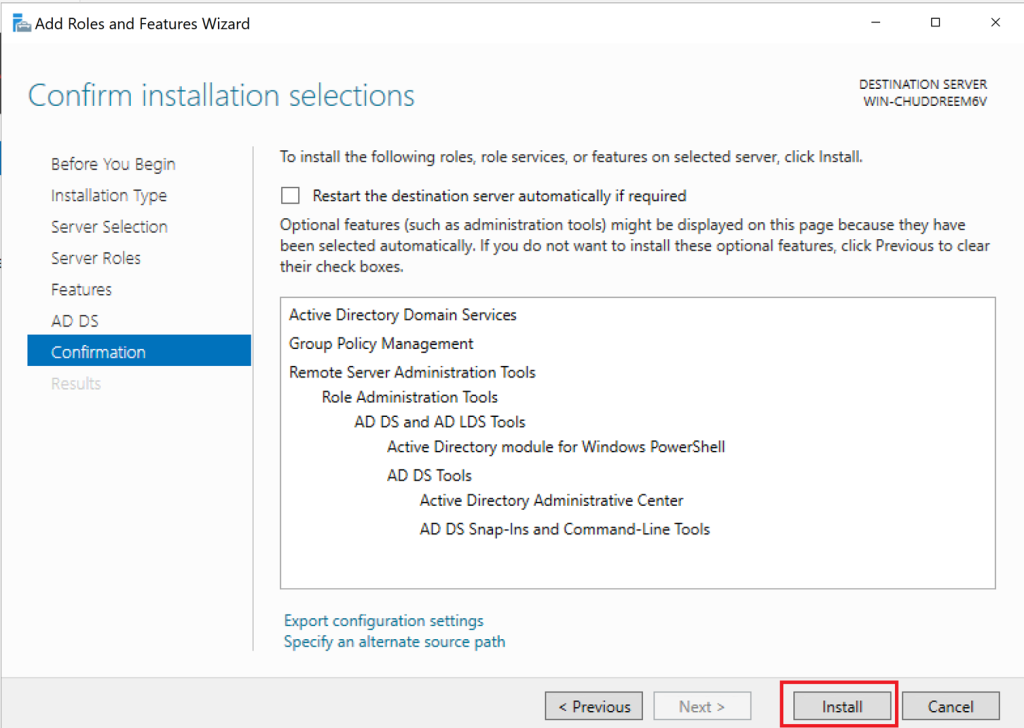
Step 4: Promote the Server to a Domain Controller
-
Promote the server as an additional domain controller
-
Use existing domain credentials
-
Install DNS when prompted (recommended)
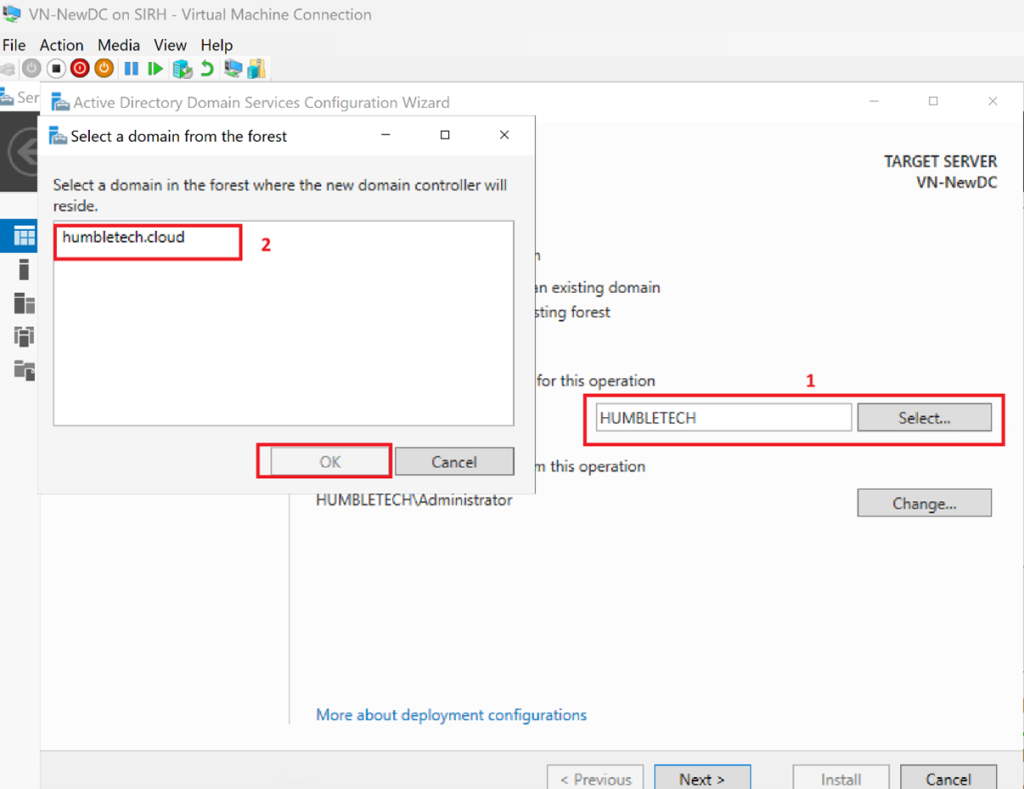
After Installation, click Promote this server to a domain controller

Select Add a domain controller to an existing domain
Provide Domain Admin credentials
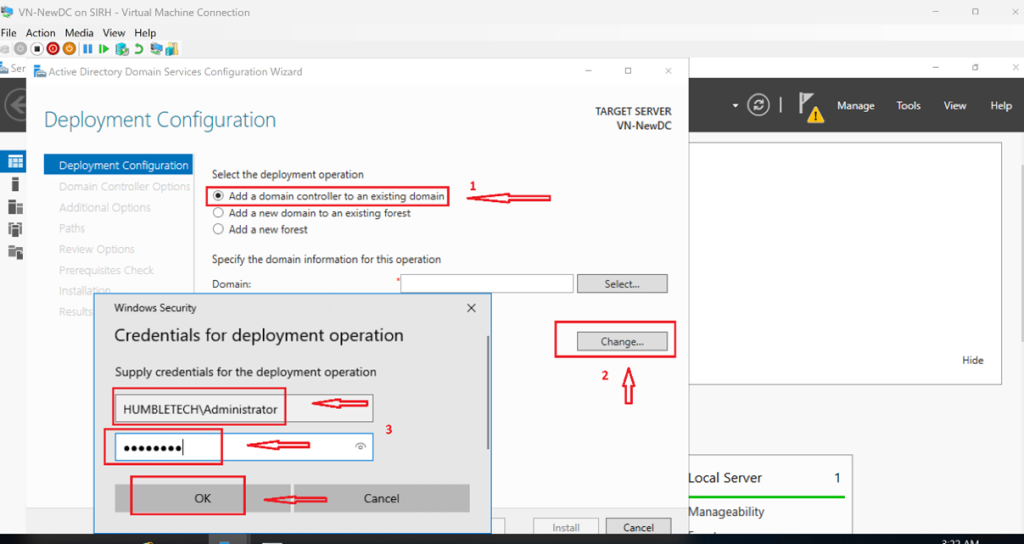
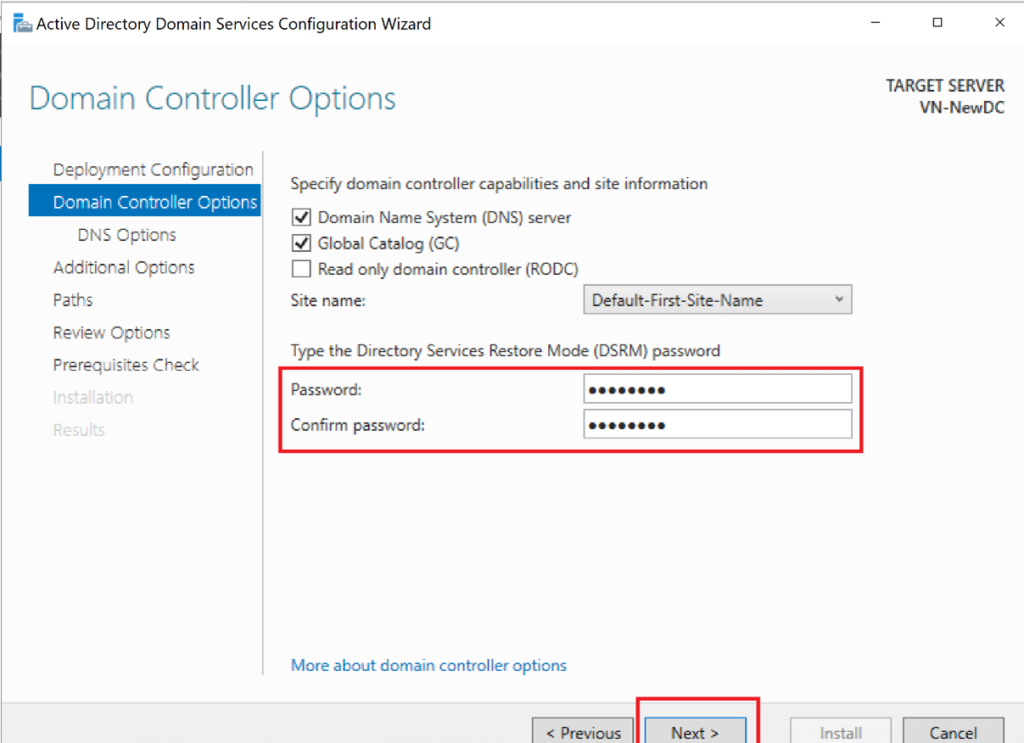
Choose DNS and Global Catalog (GC) → Set the password → Click Next and Install
Step 4: Verify Replication
-
Confirm the new DC appears in Active Directory Users and Computers
-
Validate replication using built-in tools
-
Ensure DNS records are present and synchronized
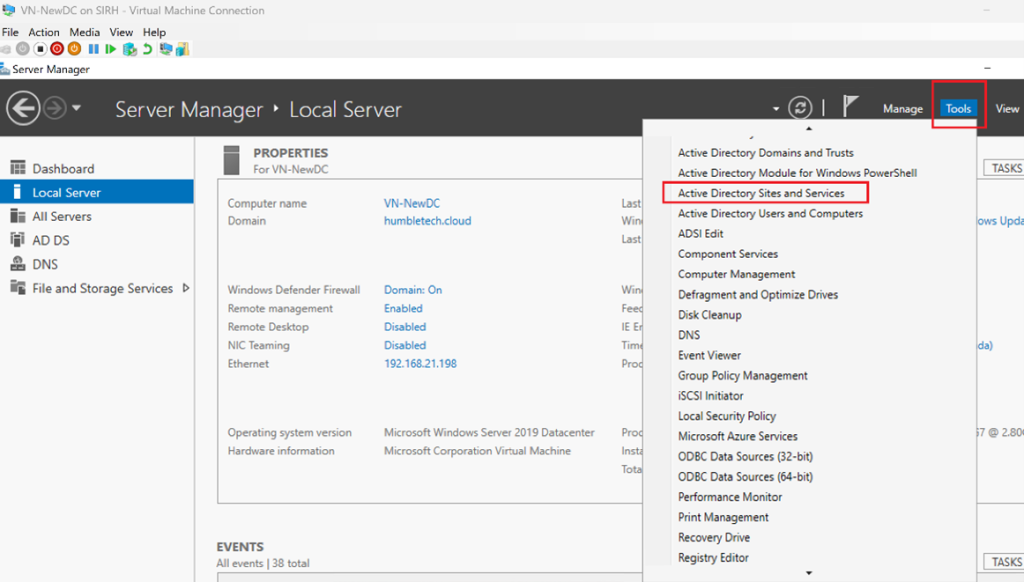
Open Active Directory Sites and Services
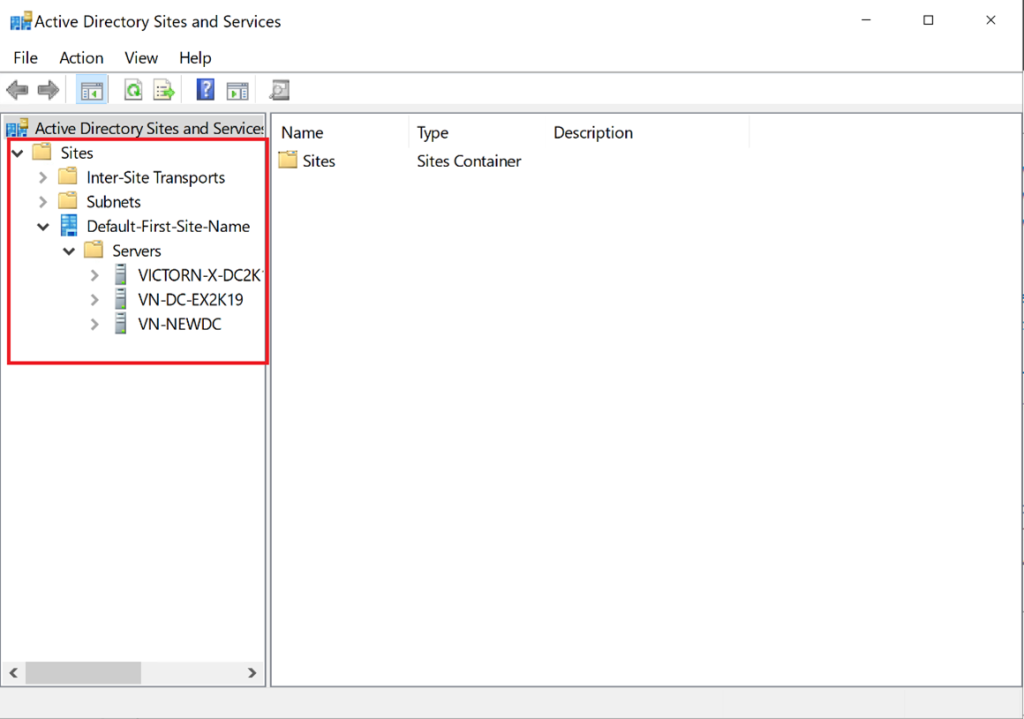
Expand Sites → Default-First-Site-Name → Servers
Verify that the new DC appears under the domain
Test by viewing the Organizational Units, Groups, and Users you created on the Primary DC and confirming that it replicates to the secondary DC.
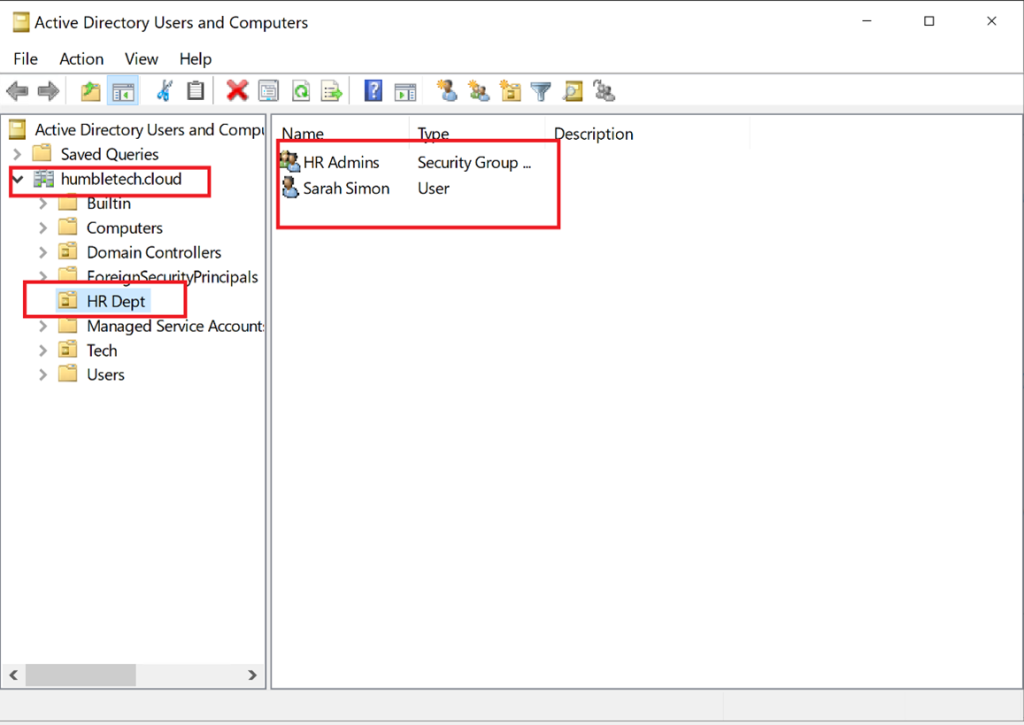
Congratulations! You have successfully added a secondary domain controller on Windows Server using Hyper-V
Why Add a Secondary Domain Controller?
Redundancy
Maintains authentication and directory services if the primary DC becomes unavailable.
Load Distribution
Client authentication and directory queries are handled by multiple domain controllers, improving responsiveness and resilience.
Replication
Active Directory objects and DNS data are automatically synchronized between domain controllers, ensuring consistency.
Microsoft recommends multiple domain controllers in production environments to avoid single points of failure.
Why This Lab Matters
Adding a secondary Domain Controller:
-
Eliminates single points of failure
-
Improves service availability
-
Reflects real-world enterprise and hybrid identity architectures
This configuration is considered best practice for any environment where Active Directory services are critical.
Lab Outcome
By the end of this lab, you will have:
-
A functioning secondary Domain Controller
-
Active Directory and DNS replication enabled
-
A more resilient and production-aligned AD environment
Discover more from Humble Cloud Tech
Subscribe to get the latest posts sent to your email.