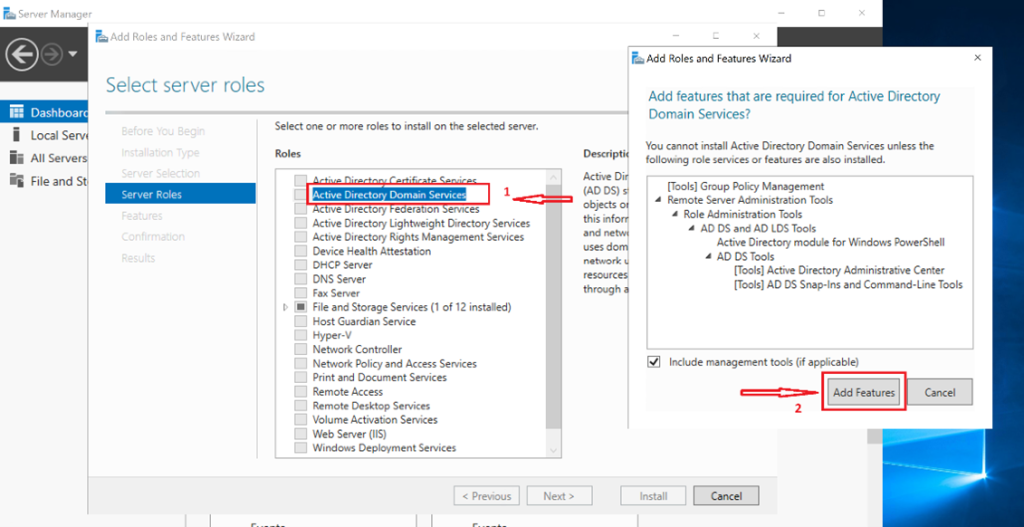
How to Install Active Directory Domain Services (AD DS) on Windows Server using Hyper-V (Step-by-Step Guide)

Active Directory Domain Services (AD DS) remains one of the most essential building blocks in enterprise IT. Whether you’re managing on‑prem infrastructure, hybrid cloud environments, or lab setups, understanding how to deploy and configure AD DS is a core skill for any cloud infrastructure or systems engineer. In a previous hands‑on lab, I deployed AD DS on a Windows Server 2019 virtual machine running on Hyper‑V, building a scalable and secure directory environment from the ground up.

How to Install Active Directory Domain Services (AD DS) on Windows Server using Hyper-V (Step-by-Step Guide) Read More »

Deploying Windows Server on Hyper‑V with Static IP Configuration

Building reliable, scalable infrastructure starts with mastering the fundamentals. I revisited one of the most essential skills in systems administration: deploying and configuring Windows Server on Hyper‑V, complete with proper networking and static IP assignment. This hands‑on project mirrors real enterprise workflows and lays the foundation for future services like DNS, Active Directory, DHCP, and RDP.

Deploying Windows Server on Hyper‑V with Static IP Configuration Read More »

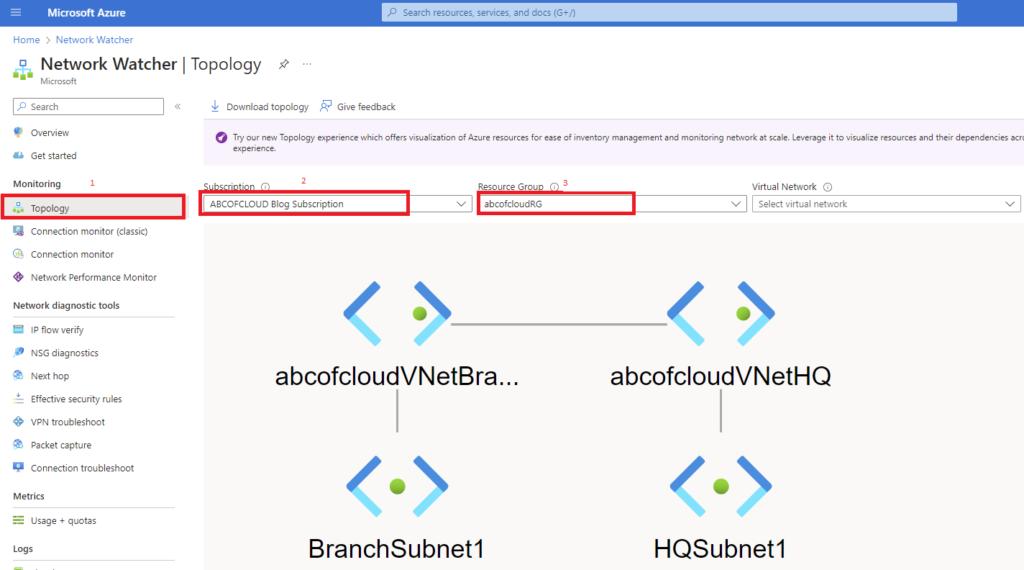
How To Configure Virtual Network Peering in Azure

In modern Azure environments, it is common to deploy resources across multiple virtual networks (VNets). These networks may be separated for reasons such as security boundaries, environment isolation (production, staging, development), regional placement, or organizational structure. However, while isolation is important, resources in different VNets often still need to communicate with each other. Azure Virtual Network Peering allows you to connect two or more VNets so that resources within them can communicate privately, securely, and efficiently over the Microsoft backbone network. Once peered, the virtual networks behave as if they are part of a single network, even though they remain logically separate.

How To Configure Virtual Network Peering in Azure Read More »

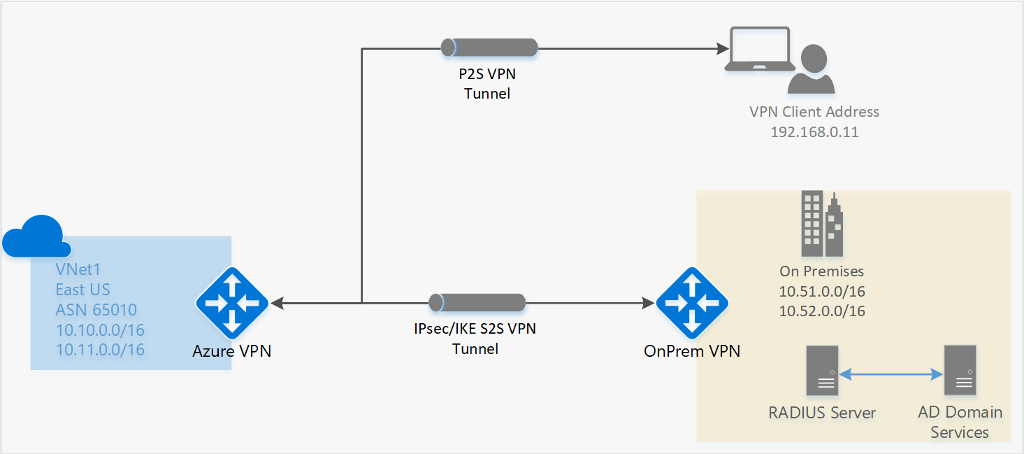
How to Configure Site-to-Site VPN Connection on Azure

In many real-world cloud environments, organizations need to securely connect their on-premises network to Azure. This is especially common during cloud migrations, hybrid deployments, or when extending existing infrastructure into Azure without exposing services to the public internet. This tutorial walks you through how to configure an Azure Site-to-Site (S2S) VPN connection step by step, using an Azure VPN Gateway. More importantly, this guide does not stop at deployment, you will also verify and test the VPN connection in real time to confirm that traffic is flowing correctly between on-premises and Azure resources. Seeing the configuration actually work is critical. In production environments, a VPN that is “successfully deployed” but not tested is a risk. This tutorial ensures you understand both the configuration and validation process.

How to Configure Site-to-Site VPN Connection on Azure Read More »

𝗛𝗼𝘄 𝘁𝗼 𝗦𝗲𝘁 𝗨𝗽 𝗮 𝗦𝗲𝗰𝘂𝗿𝗲 𝗣𝗼𝗶𝗻𝘁-𝘁𝗼-𝗦𝗶𝘁𝗲 𝗩𝗣𝗡 𝗶𝗻 𝗔𝘇𝘂𝗿𝗲

A Hands-On Azure Networking Lab: Virtual Networks, VPN Gateway, and Certificate Authentication. Point-to-Site VPN helps us connect through a secure network from a client computer to an Azure virtual network. This simply means you can connect to a compute resource using their private IP on the Azure Virtual Network. Secure remote access is a common requirement in cloud projects. In this lab, a Point-to-Site (P2S) VPN is configured so a client computer can connect to an Azure Virtual Network (VNet) and reach resources using private IP addresses. What is Point-to-Site VPN A Point-to-Site (P2S) VPN gateway creates a secure connection from an individual client device to an Azure VNet. The connection is initiated from the client machine, making it a practical choice for remote workers or scenarios where only a few clients need access to the VNet, such as from home or a conference. P2S VPN is also a useful solution to use instead of S2S VPN when you have only a few clients that need to connect to a VNet.

𝗛𝗼𝘄 𝘁𝗼 𝗦𝗲𝘁 𝗨𝗽 𝗮 𝗦𝗲𝗰𝘂𝗿𝗲 𝗣𝗼𝗶𝗻𝘁-𝘁𝗼-𝗦𝗶𝘁𝗲 𝗩𝗣𝗡 𝗶𝗻 𝗔𝘇𝘂𝗿𝗲 Read More »

How to Configure Azure File Sync

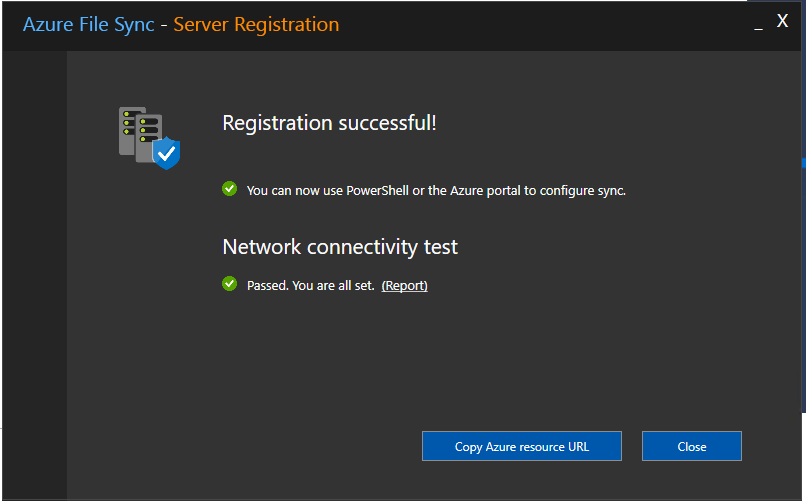
For many years, organizations have relied on traditional methods of sharing files, most commonly through mapped network drives connected to on‑premises Windows servers. This approach has served businesses well, especially those with domain‑joined computers and centralized IT infrastructure. However, as organizations grow, adopt hybrid work models, and support remote or non–domain‑joined devices, these legacy methods start to show limitations. Companies increasingly need highly available, scalable, and secure file-sharing solutions that work across locations, devices, and networks. This is where Azure File Sync becomes a game‑changer. Azure File Sync allows you to modernize your existing file server infrastructure without losing the performance, compatibility, and familiarity of your on‑premises Windows file servers. It enables your files to sync automatically to Azure, giving you centralized cloud storage, global access, improved redundancy, and tiered storage that optimizes disk usage. In this guide, I’ll walk you step-by-step through setting up Azure File Sync, configuring both local and cloud file shares, and demonstrating how files stay available and synchronized across: ✔ A domain‑joined computer connected to your local server ✔ A non–domain‑joined computer mapped directly to Azure Storage By the end, you will clearly see how Azure File Sync provides seamless file availability across your entire organization—whether on-premises or in the cloud.

How to Configure Azure File Sync Read More »

Cloud Computing Explained

If you’re ready to start your journey into the cloud, this guide is the perfect place to begin. In today’s digital world, almost every business, whether small or an enterprise, depends on technology to run daily operations. Traditionally, organizations managed their own physical data centers, filled with servers, switches, storage devices, and network equipment. While this on‑premises setup works, it comes with a major limitation: you must buy and maintain all the hardware yourself, even if you only need it once in a while. Imagine your company hosts a large annual event that requires extra computing power. You would need to purchase new servers and storage just to handle this temporary workload. After the event, the equipment remains underused, but your business has already spent the money.

Cloud Computing Explained Read More »

We use cookies to personalise content and ads, to provide social media features and to analyse our traffic. We also share information about your use of our site with our social media, advertising and analytics partners. View more
Cookies settings
Accept
Decline
Privacy & Cookie policy
Privacy & Cookies policy
Cookie name Active

Who we are

Suggested text: Our website address is: https://humbletech.cloud.

Comments

Suggested text: When visitors leave comments on the site we collect the data shown in the comments form, and also the visitor’s IP address and browser user agent string to help spam detection. An anonymised string created from your email address (also called a hash) may be provided to the Gravatar service to see if you are using it. The Gravatar service Privacy Policy is available here: https://automattic.com/privacy/. After approval of your comment, your profile picture is visible to the public in the context of your comment.

Media

Suggested text: If you upload images to the website, you should avoid uploading images with embedded location data (EXIF GPS) included. Visitors to the website can download and extract any location data from images on the website.

Cookies

Suggested text: If you leave a comment on our site you may opt in to saving your name, email address and website in cookies. These are for your convenience so that you do not have to fill in your details again when you leave another comment. These cookies will last for one year. If you visit our login page, we will set a temporary cookie to determine if your browser accepts cookies. This cookie contains no personal data and is discarded when you close your browser. When you log in, we will also set up several cookies to save your login information and your screen display choices. Login cookies last for two days, and screen options cookies last for a year. If you select "Remember Me", your login will persist for two weeks. If you log out of your account, the login cookies will be removed. If you edit or publish an article, an additional cookie will be saved in your browser. This cookie includes no personal data and simply indicates the post ID of the article you just edited. It expires after 1 day.

Embedded content from other websites

Suggested text: Articles on this site may include embedded content (e.g. videos, images, articles, etc.). Embedded content from other websites behaves in the exact same way as if the visitor has visited the other website. These websites may collect data about you, use cookies, embed additional third-party tracking, and monitor your interaction with that embedded content, including tracking your interaction with the embedded content if you have an account and are logged in to that website.

Who we share your data with

Suggested text: If you request a password reset, your IP address will be included in the reset email.

How long we retain your data

Suggested text: If you leave a comment, the comment and its metadata are retained indefinitely. This is so we can recognise and approve any follow-up comments automatically instead of holding them in a moderation queue. For users that register on our website (if any), we also store the personal information they provide in their user profile. All users can see, edit, or delete their personal information at any time (except they cannot change their username). Website administrators can also see and edit that information.

What rights you have over your data

Suggested text: If you have an account on this site, or have left comments, you can request to receive an exported file of the personal data we hold about you, including any data you have provided to us. You can also request that we erase any personal data we hold about you. This does not include any data we are obliged to keep for administrative, legal, or security purposes.

Where your data is sent

Suggested text: Visitor comments may be checked through an automated spam detection service.
Save settings
Scroll to Top